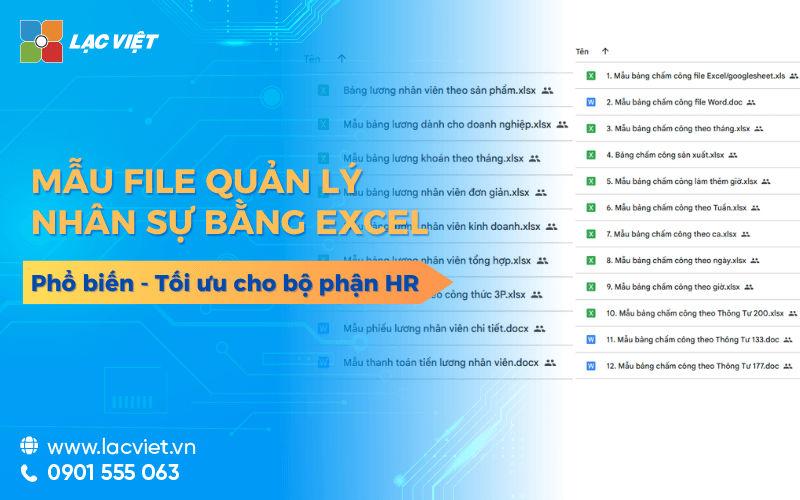

File management personnel in Excel be flexible tool helps to store personal information, contract monitoring, timekeeping and payroll at a low cost. This is effective solution for the small and medium sized businesses thanks to ease of use, ability to customize the columns information or report according to the actual demand. However, this tool also restrictions on the security, easy-to-happen errors when entering data manually and difficult to expand when the scale hr big boost.
Personnel management by Excel is still the popular choice especially with the small and medium enterprises or the new organization formed. Excel provides a versatile tool easy to use allows the storage of data-processing personnel without investment software complex. Businesses can set template file personnel management by Excel to record personal information, attendance and calculate pay, and create aggregate reports quickly.
The application of Excel in hr management not only saves costs but also help enterprises easily customized according to actual needs, from keeping track of number of days of leave of employees to the aggregate figures for monthly reports. However, businesses also need to build a file in a scientific manner to ensure the accuracy avoid data loss.
The same Lac Viet learn the types of files hr can manage on excel effective and when any business should switch to the software hr technology more professional?
1. Why companies still use Excel in hr management?
Personnel management in Excel is a method of using Excel spreadsheets to store, track, and manage all the data related to personnel in business. The data typically include personal information, departments, job placement, labor contracts, timesheets, payroll, and the statistical reporting personnel.
| Strengths | Weakness |
|
|
Illustrative example: A small and medium business with about 50-100 staff can use Excel to manage records, timekeeping, and payroll every month. Employee HR only need to update the table, enter payroll data and Excel will sum calculation helps to reduce errors compared to type on paper.
The small and medium enterprises still use Excel or other spreadsheet similar to data management personnel. Main reasons include:
- Low-cost convenience: No need to invest in software HRM complex.
- Easy to apply, familiar: Personnel do not need knowledge IT deep.
- Flexibility: custom Business can change the recipe, add column information, or create new reports according to the needs.
Use Excel helps organizations can manage personnel in Excel effective in the early stages or when the scale of business was small at the same time create a premise to switch to software HRM professional as business development.
2. Download free file management personnel in Excel, comprehensive for the enterprise

2.1 File information management staff
File information management staff is the type of Excel table used to store the entire data base important about each employee in the business. Content usually includes: name, date of birth, employee code, department, work location, employment contracts, phone number, email, date on company days off from work (if any) and other important notes.
Illustrative example: An Excel table has columns: Code NV – name – Date of birth – departments – ministry – Types of contracts – Date on company – phone Number – Email. Employee HR only need to enter data once, then can easily filter or search by department, position, or contract status.
Practical benefits for business:
- Easily lookup updates employee information.
- Support the report, fast, accurate.
- Create a platform to connect with other files such as clocking, payroll, reporting personnel.
2.2 File employee attendance
File employee attendance is a tool to help businesses track the number of working days, work hours, overtime, vacation, sick leave, and other types of other holiday. Excel table this can be designed according to the month with the columns shown in July, the information related to the.
Basic formulas in Excel:
- SUM to calculate the total number of hours worked.
- IF combined with conditions, absence, vacation or overtime.
- Conditional Formatting to display a warning when employees leave the number of days allowed.
Practical benefits:
- Reduce the time input than the recorded manually on paper.
- Reduce errors when calculating the hourly wage work.
- Help HR quickly grasp the current situation of each employee.
2.3 File payroll benefits
File payroll benefit is the Excel sheet used to sum up the account of the basic salary, bonus, allowances, insurance and other deductions in accordance with the law. This File is usually associated with file timesheets to automatically calculate the salary based on the number of hours worked, number of vacation days, or formula bonus.
How to set up the formula:
- SUM, SUMIF to calculate the total salary allowances.
- IF combined with the bonus conditions or subtraction.
- Create summary table to automatically update gross salary each month.
Practical benefits:
- Optimized duration payroll, reduce errors significantly.
- Support quick check deductions tax and insurance.
- Help employees HR easy accountability and transparency in salary payments.
2.4 File report hr
File report the synthesis of data from the file information, staff attendance and salary to take out the key indicator: number of employees, turnover rate, the volatility of personnel according to the departments, the rate of leave salary average.
Practical benefits:
- Support leaders take timely decisions about personnel.
- Helps HR to capture fast movements personnel, detection of performance issues or the holiday.
- Easily create reports month/quarter/year service audit or evaluate effectiveness of HR.
For example, use PivotTable in Excel to sum the number of employees in departments, the number of vacation days, or the average wage. This helps to reduce the processing time data from hundreds of profiles to only a few minutes.
3. Analyze the advantages and disadvantages when personnel management by Excel
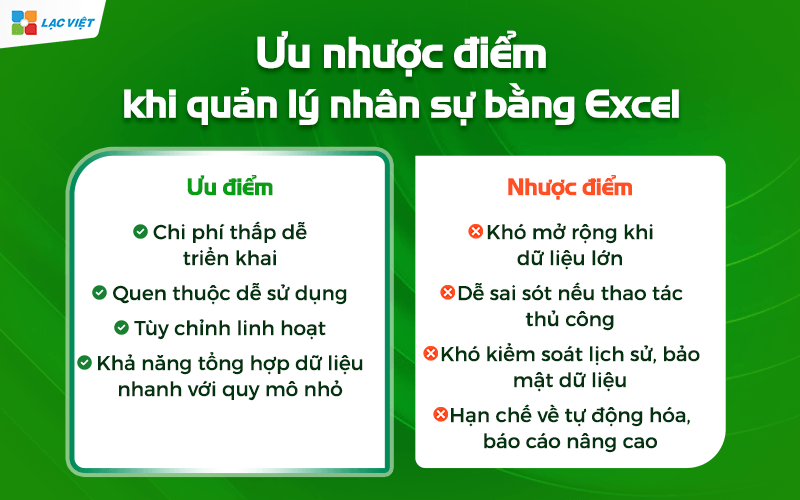
Personnel management in Excel is a popular choice with many businesses, especially medium organizations and small. However, like every tool, this method has advantages and limitations. Understand the pros and cons will help businesses make the right decision.
3.1 Advantages
- Low cost, easy to deploy: Excel is software available in the Microsoft Office business do not have to pay the extra cost HR software for professional use. The deployment is also very fast, just staff HR familiar manipulate Excel is able to operate immediately.
- Easy to use familiar: Most office workers are familiar with Excel. The basic operations such as data entry, sort, filter, or use the formula SUM, IF... are easy to implement. This minimizes training time and increase working speed.
- Flexibility: custom Business can create template file personnel management in Excel according to own needs: timesheets, payroll, report on personnel, or track KPI. Is not restrictive as specialized software has fixed structure.
- Ability to synthesize data with quick small scale: With business under 50 employees, Excel can handle efficiently the report as aggregate hours, payroll, statistics on the number of vacation days, or report fluctuations in hr.
3.2 Disadvantages
- Hard open wide when big data: When the number of employees exceeds 50-100, the Excel file to become heavy, slow, hard to control data.
- Easy to errors if the handcrafted: Each input, or change the recipe all the potential risk of errors, especially when there are multiple sheet link.
- Difficult to control historical data security: Excel does not support authorization details such as software HRM. Keeping track of who has edited the data, when often difficult to implement, leading to risks of security.
- Restrictions on automation, advanced reporting: The reporting complex or need to automate many of the steps will be difficult to perform with Excel. For example, the report KPI monthly aggregate fluctuations personnel, or data integration from various sources.
4. When business should upgrade from Excel to software HRM?
When business development, demand management, personnel management increasingly complex, maintaining Excel will no longer be effective. Below are signs that the business should consider the upgrade:
Business should upgrade from Excel to software HRM when we started dealing with the signs that Excel no longer meet the requirements management. The time of “ripe” to switch include:
4.1. When hr data becomes complex and rapid increase in the scale
Excel match for the period under 30-50 hr. But when a business expands up 100 – 300 – 500 who you will meet:
- Excel File too heavy, easy to bugs recipe.
- The risk of data loss or overwritten.
- Take a lot of time and synthesize data from many different file (recruitment, contracts, attendance, pay, benefits).
When data arise constantly and related to multiple departments, Excel is no longer able to control consistency.
4.2. When process, timekeeping, and payroll become “points of congestion”
This is usually the signs most clearly.
The typical problem:
- Collect attendance data from multiple ca/region takes 2-5 days per pay period.
- Recipe salary complex leads to errors, employee questions, discredit Personnel.
- Process for control of allowances, overtime, bonuses and penalties, must do crafts on multiple sheets.
When every pay period take too much time or constantly going wrong, it is time to move on to HRM to automation.
4.3. When businesses need to comply with legal tighter
The work as:
- Updates change policy SOCIAL PIT
- Storage contract, decision, labor records in accordance
- Track contract term, the mold increases wage, reward, discipline
- Reported on form Decree/new circular
If the business must do crafts or continuous violations due to lack of timely data, HRM solution is required.
4.4. When the desired amount of chemical processes and increase the experience staff
If the organization towards operate modern, something that Excel can't do:
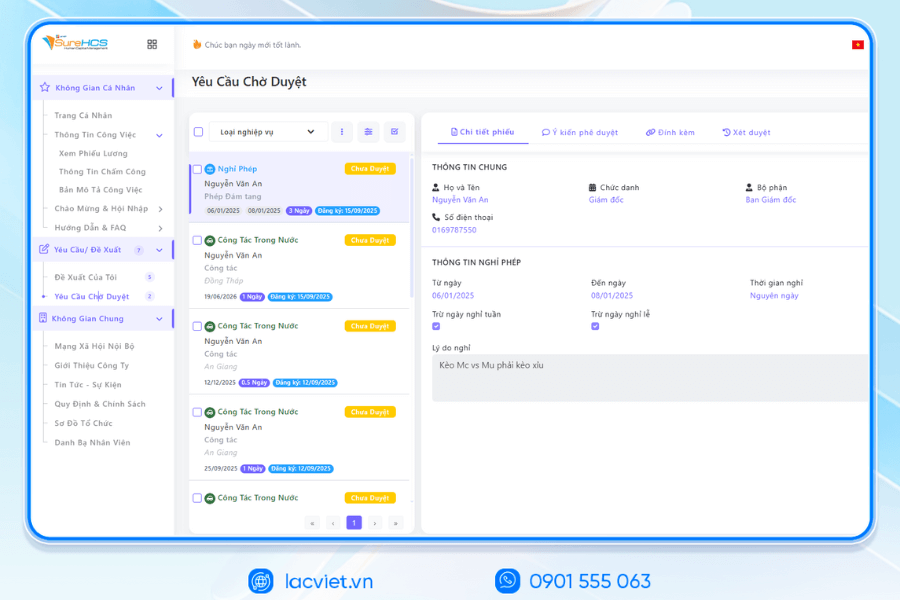
- Employee self update profile, registered, vacation, view the pay table online.
- Management approval right on your phone.
- Automatically prompt-term contract, try the.
- Optimal recruitment process, integration, performance reviews.
This is an important milestone to improve the HR of data center operation, not only the administrative department.
4.5. When leaders need data quickly and accurately to a decision
Excel for your data “static”. When needed:
- The rate of the holiday months
- The productivity report by departments
- Labor costs, according to the project
- Forecast personnel budget
...then the general will slow and not accurate.
HRM allows to extract reports instant, from then on the leader board decisions faster and more confidently.
4.6. When the risk to data security begins to rise
Excel File:
- Prone to copy.
- Do not track is history edit.
- Unlimited distribution rights detailed in the role.
While salary information, taxes, contracts, discipline are all data secret. HRM helps establish decentralized to individual school data to help businesses more secure.
4.7. When businesses want to standardize the entire hr process
A software HRM standard will help standardize the business service:
- Recruitment – integration
- Records management – contract
- Attendance – payroll – benefits
- Training – reviews – inheritance
Standardization is necessary when businesses step in the expansion phase, or directed to items (ISO, ESG, convert number).
Business should move from Excel to HRM when Excel starts causing congestion operate, reveal flaws, take a lot of time control, or no longer ensure security and compliance. This is step help standardize processes, improve performance, hr and create a platform for the conversion of.
5. Human resource management comprehensive with Lac Viet SureHCS HRM
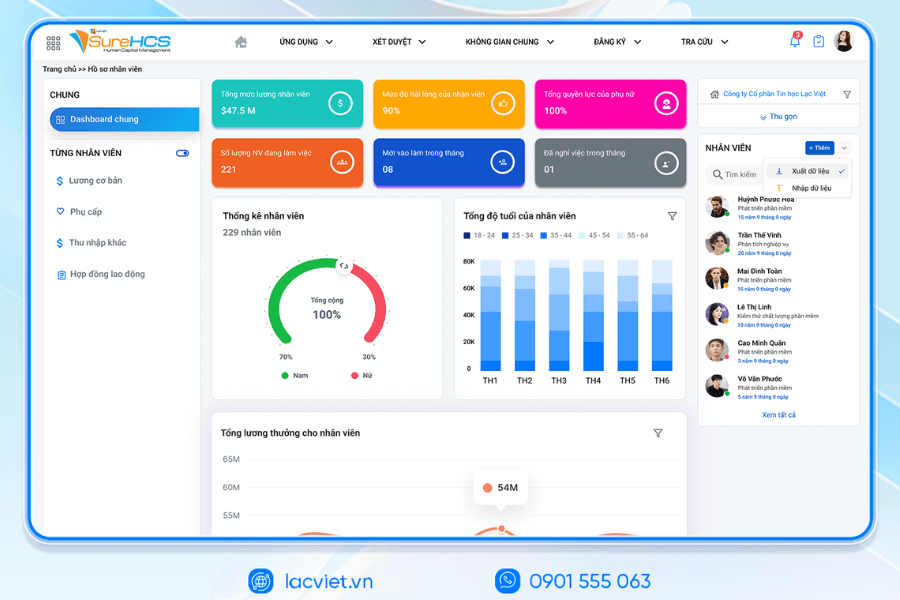
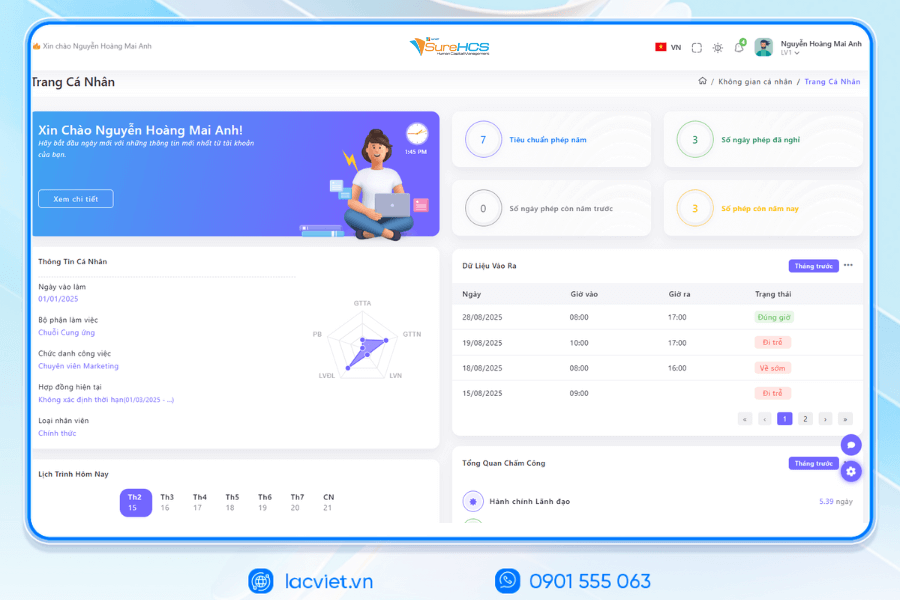
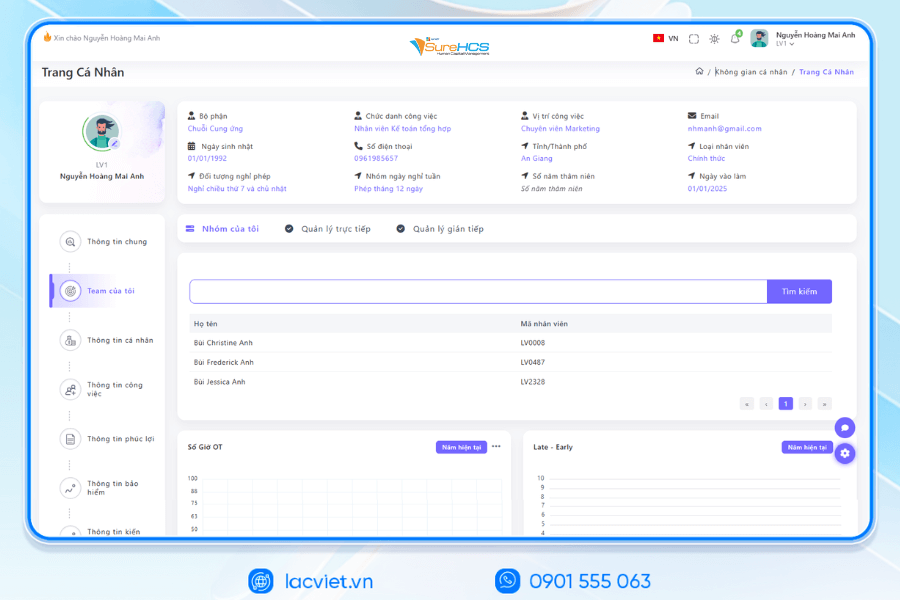
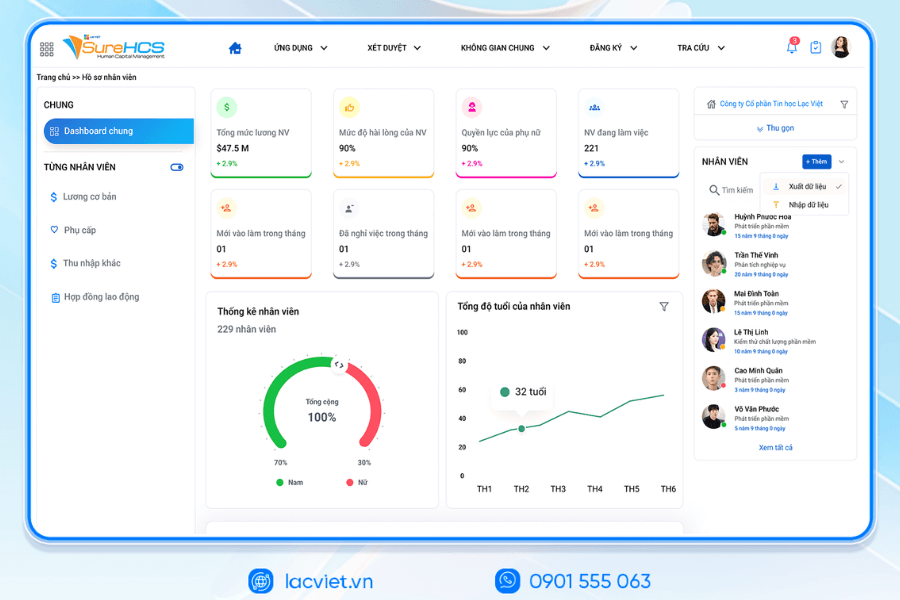
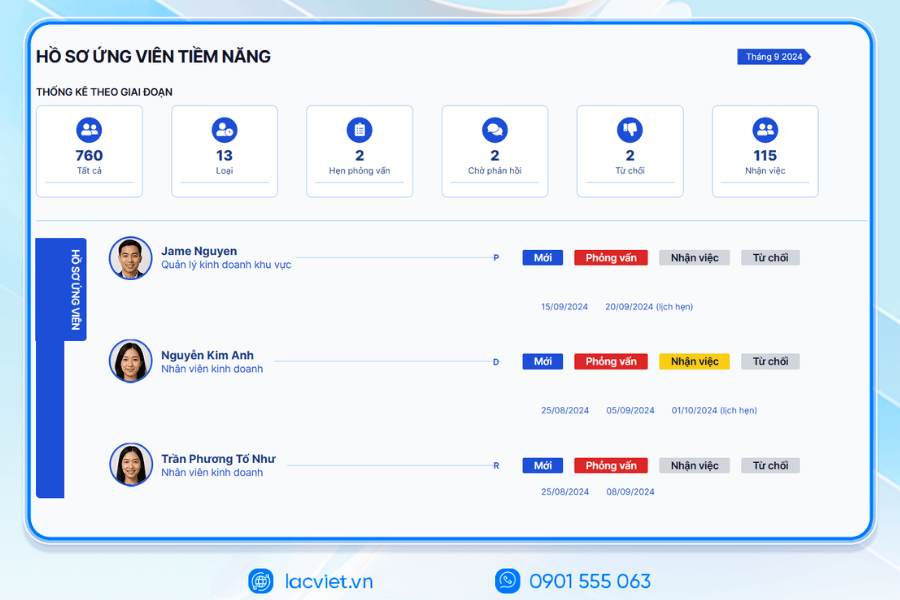
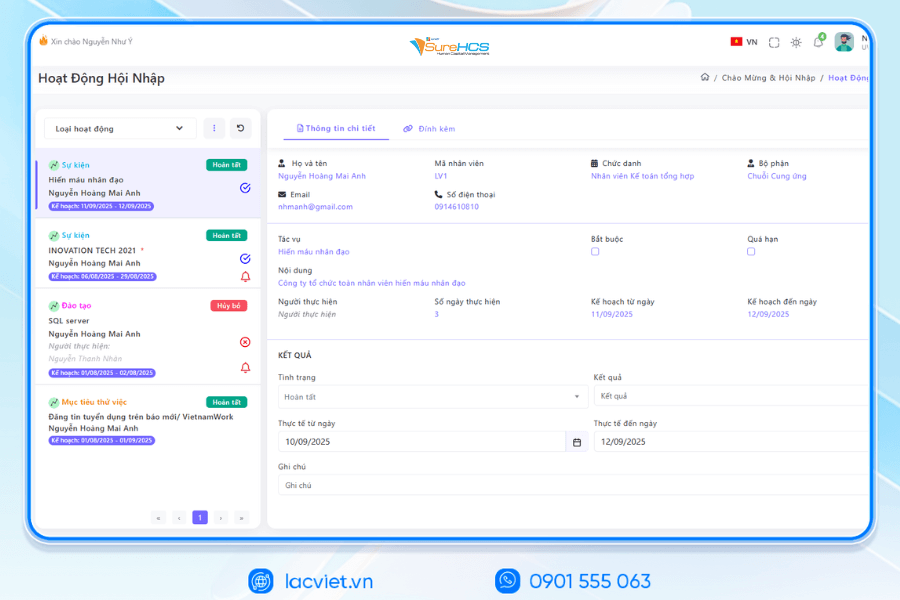
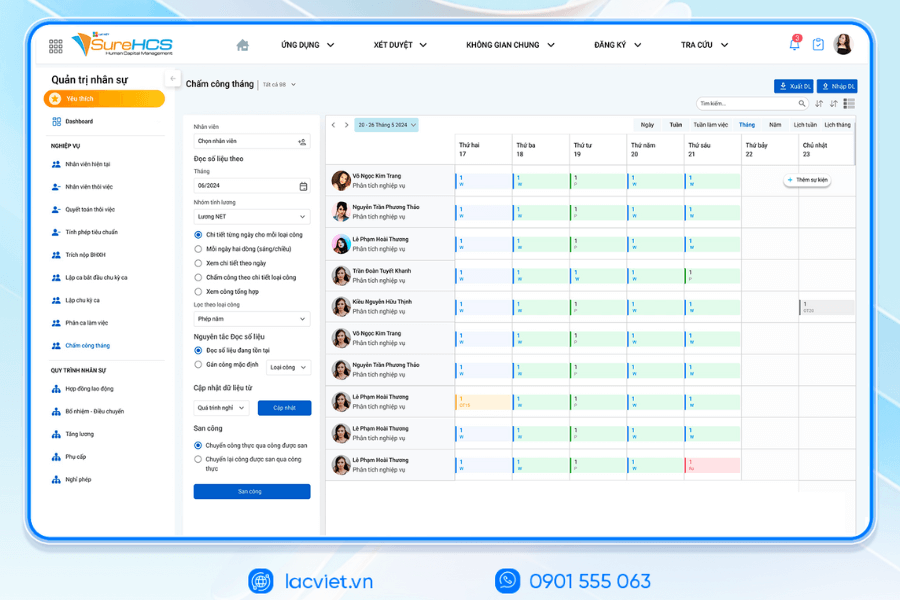
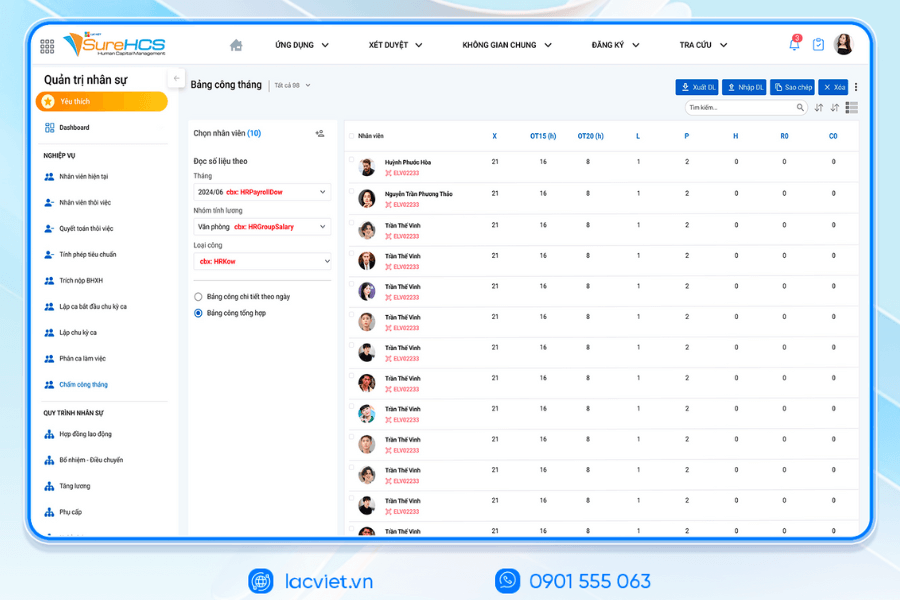
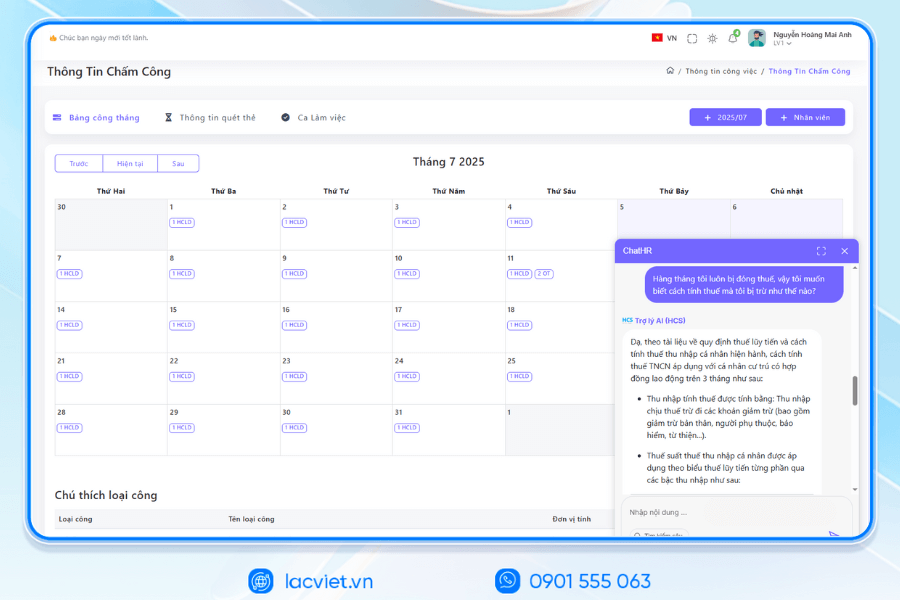
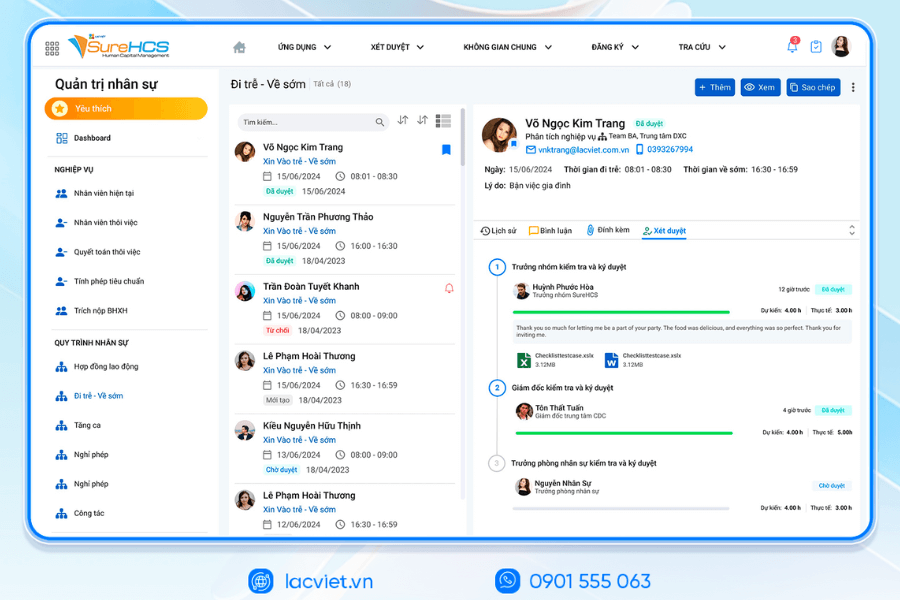
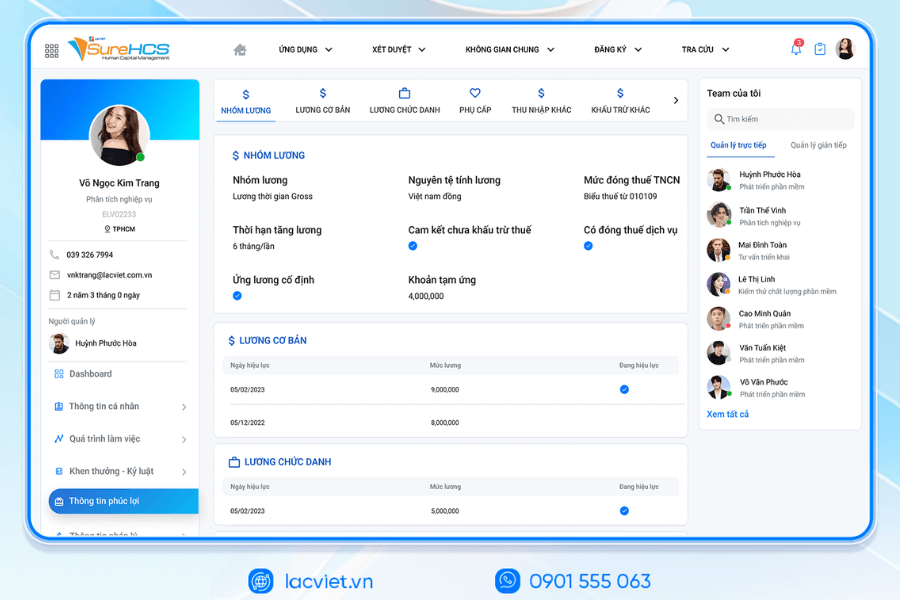
Lac Viet SureHCS HRM is a software solution managing the entire interface is designed to support enterprise organizations personnel management in an automated way the exact flexible.
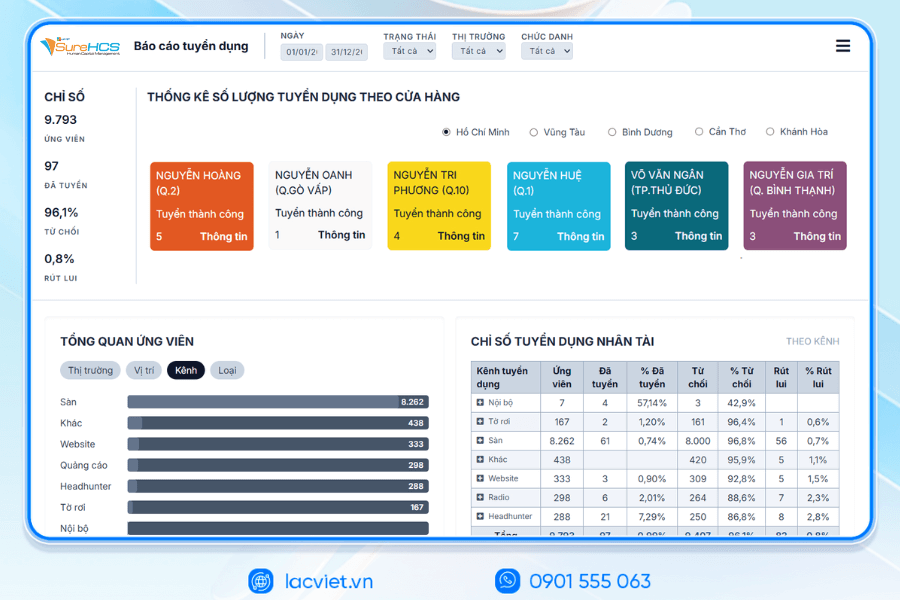
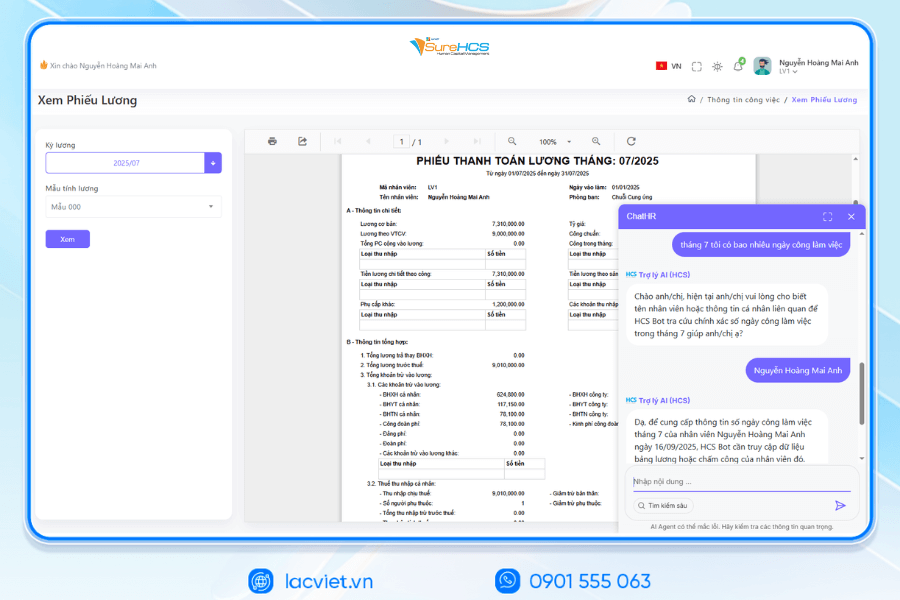
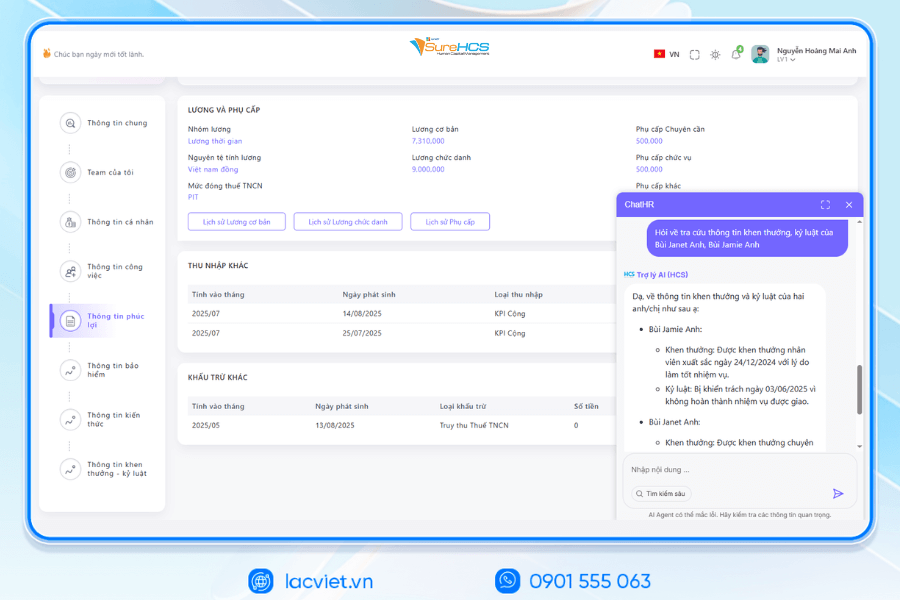
The software provides the distribution system from the manage employee profiles, attendance, payroll, benefits manager to report aggregated data analysis hr assist HR maximum decrease action limit errors easily make decisions based on real data. Thanks to the friendly interface and the ability to customize according to needs each business, Lac Viet SureHCS HRM not only suitable for the small and medium companies, but also meet the management requirements of large corporations.
INTEGRATED AI ACCELERATED CONVERSION OF HUMAN RESOURCES MANAGEMENT
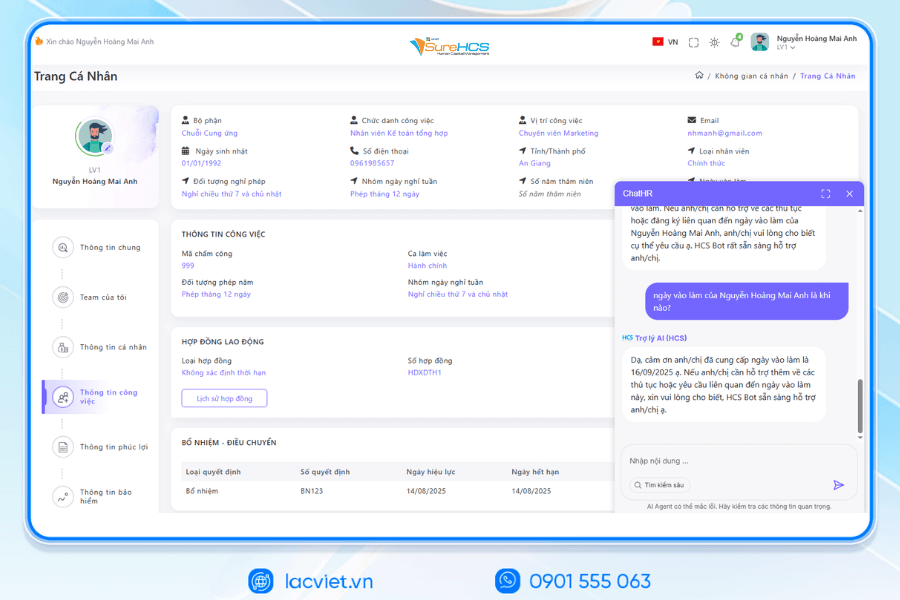
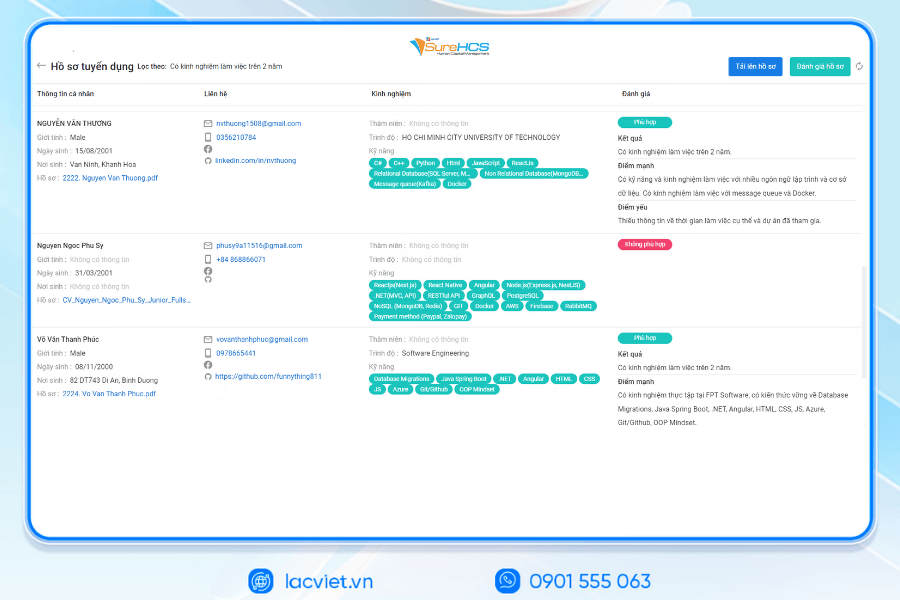
Lac Viet has officially launched The 3 AI assistant hr deeply integrated into the LV SureHCS including LV-AI.Docs, LV‑AI.Resume and LV‑AI.Help to automate the task administration, standardized data enhanced experience personnel
- LV‑AI.Docs: automatic dissection transfer data from documents such as CCCD, windows, SOCIAL insurance, by level of digital records, standardized
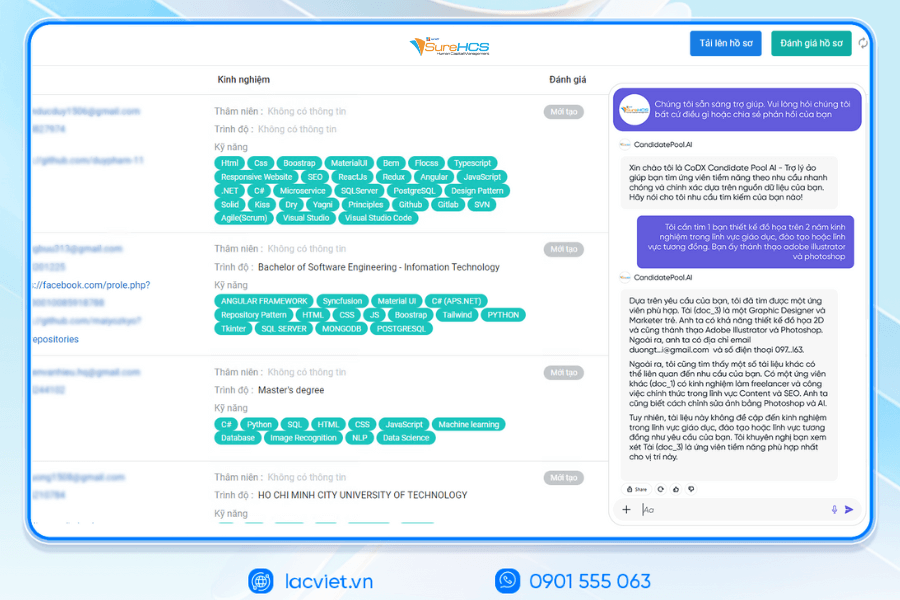
- LV‑AI.Resume: automatic dissection CV any format, analyst CV auto, construction, candidate profile, find people with the right criteria by prompt intelligent data mining candidate pool efficiency
- LV‑AI.Help: chatbot internal support, answer questions HR 24/7 access form process quick contextual user
SureHCS particularly suitable for:
- Large-scale enterprise, from 300 to 10,000 hr
- Corporations and enterprises multi-company, multi-branch
- FDI, manufacturing, factory, logistics, aviation should attendance – analysis ca – salary calculator complex
- Businesses are C&B peculiarities, need custom depth according to the actual operating
- Businesses are personnel management using Excel, many types of timekeeper, need automate the entire process
TYPICAL CUSTOMERS DEPLOYING LV SUREHCS HRM
SureHCS are trusted and used by many large enterprises and leading corporations such as: Coca-Cola, Takashimaya, Textile SuccessfulPlastic Long Thanh Phu Hung Life, Airports of Vietnam (ACV), Khu công nghiệp Long Hậuthe business belonging to the SGCthe FDI enterprises in the fields of production, logistics, trade – in service.
- Coca-Cola Vietnam: System deployment LV SureHCS to digitize comprehensive human resource management group has standardized the data, the optimal operating HR according to international model.
- Textile company Success (TCM): Application LV SureHCS to manage hr, payroll, benefits, timekeeping and capacity profile for nearly 5,000 employees across 5 areas of activity – from textiles and fashion to real estate.
- Total company air Port, Vietnam (ACV): Choose to trust LV SureHCS to operate the system large-scale personnel with over 10,000 employees, 24 subdivisions, solved the problem of complex business of modeling state-owned companies.
SIGN UP TO RECEIVE DEMO NOW
WHY BUSINESSES SHOULD CHOOSE TOUCH THE SUREHCS?
- Customized according to the actual business, no pressure mold as packaged software.
- Handle the personnel – salaries complex that many software HRM other does not respond.
- Deep understanding operated business English & FDI, ensure compliance with legal Vietnam (labour, SOCIAL insurance and personal income tax).
- Ecosystem integration strength: attendance – payroll – bank – SI – electronic contract.

See details, feature & get FREE Demo
CONTACT INFORMATION:
- Hotline: 0901 555 063
- Email: surehcs@lacviet.com.vn
- Website: https://lacviet.vn | www.surehcs.com
- Office address: 23 Nguyen Thi Huynh, Phu Nhuan, ho chi minh CITY.CITY
Using the software, businesses can quickly track fluctuations in hr, optimal staffing costs improve the experience for employees, thereby increasing operational efficiency and competitiveness in the market.
The use of hr manager in Excel, bring a lot of value for businesses, especially the SMEs. Excel helps to store employee information, attendance, payroll, general report quickly, cost savings, and ease of deployment. However, when the extended enterprise management needs become more complex, maintaining Excel will meet restrictions on security, automation, ability to handle big data.
Therefore, the organization can combine Excel with sample file management personnel in Excel optimal or consider switching to software HRM professional such as Vietnam SureHCS HRM to enhance effective management personnel, reduce errors and shorten the time to perform the daily work.