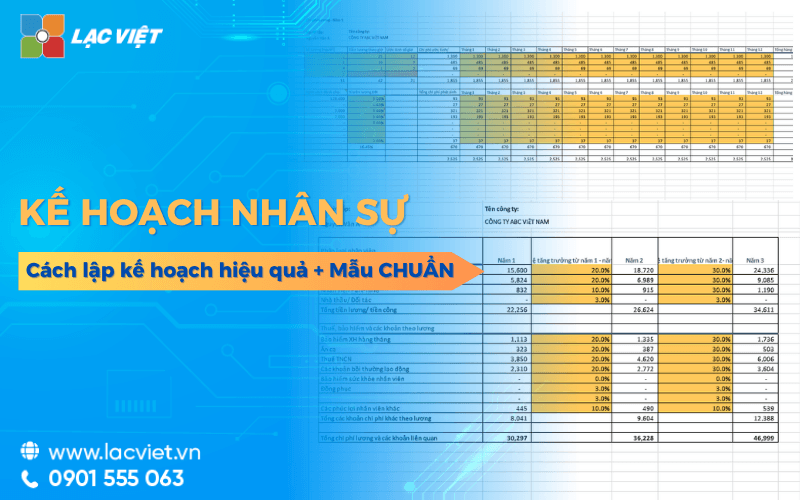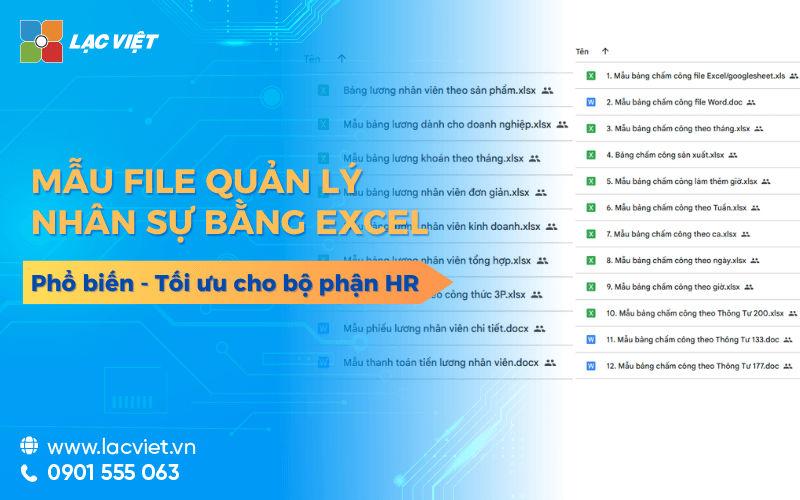

File management personnel in Excel là bảng tính giúp lưu trữ thông tin cá nhân, theo dõi hợp đồng, chấm công và tính lương với chi phí thấp. Đây là giải pháp hiệu quả cho các doanh nghiệp vừa và nhỏ nhờ tính dễ sử dụng, khả năng tùy chỉnh cột thông tin hoặc báo cáo theo nhu cầu thực tế. Tuy nhiên, công cụ này còn hạn chế về tính bảo mật, dễ xảy ra sai sót khi nhập liệu thủ công và khó mở rộng khi quy mô nhân sự tăng lớn.
Quản lý nhân sự bằng Excel vẫn là lựa chọn phổ biến đặc biệt với các doanh nghiệp vừa và nhỏ hoặc những tổ chức mới thành lập. Việc áp dụng Excel trong quản lý nhân sự không chỉ giúp tiết kiệm chi phí mà còn giúp doanh nghiệp dễ dàng tùy chỉnh theo nhu cầu thực tế, từ việc theo dõi số ngày nghỉ phép của nhân viên đến việc tổng hợp số liệu cho báo cáo hàng tháng. Tuy nhiên, doanh nghiệp cũng cần xây dựng file một cách khoa học để đảm bảo tính chính xác tránh mất dữ liệu.
The same Lac Viet tìm hiểu các loại file nhân sự có thể quản lý trên excel hiệu quả và khi nào doanh nghiệp nên chuyển đổi sang các hr software công nghệ chuyên nghiệp hơn?
1. Download miễn phí bộ file quản lý nhân sự bằng Excel toàn diện cho doanh nghiệp
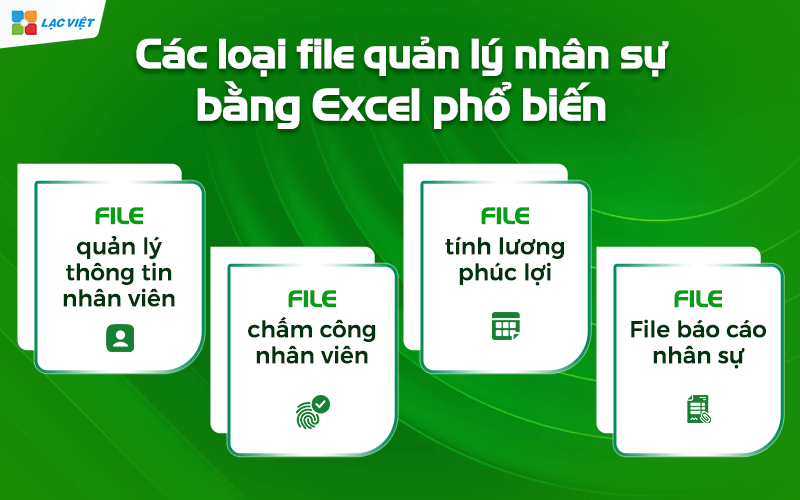
| Tên mẫu | Mô tả nhanh | Link tải |
| Mẫu báo cáo nhân sự | Tổng hợp các chỉ số nhân sự quan trọng như biến động nhân sự, tỷ lệ nghỉ việc, cơ cấu lao động, tình hình tuyển dụng, chi phí nhân sự. Hỗ trợ nhà quản lý theo dõi hiệu quả nguồn nhân lực. | Tải tại đây |
| Sample timesheets | Quản lý ngày công, nghỉ phép, nghỉ lễ, tăng ca, thời gian làm việc của nhân viên theo tháng. Là cơ sở dữ liệu quan trọng cho tính lương và đánh giá nhân sự. | Tải tại đây |
| Mẫu bảng tính lương | Tự động tính lương dựa trên ngày công, phụ cấp, thưởng, bảo hiểm và thuế TNCN. Giúp giảm sai sót, tiết kiệm thời gian xử lý bảng lương. | Tải tại đây |
| Mẫu Excel quản lý hồ sơ nhân sự | Lưu trữ thông tin nhân viên tập trung gồm thông tin cá nhân, hợp đồng lao động, trình độ chuyên môn, quá trình công tác, hồ sơ liên quan. | Tải tại đây |
| Mẫu quy chế lương thưởng | Quy định nguyên tắc trả lương, thưởng, phụ cấp, tăng lương, các chính sách đãi ngộ nhằm đảm bảo tính minh bạch trong doanh nghiệp. | Tải tại đây |
| Mẫu quản lý tuyển dụng | Theo dõi toàn bộ quy trình tuyển dụng từ nhu cầu tuyển dụng, đăng tin, tiếp nhận hồ sơ, đánh giá ứng viên đến kết quả tuyển dụng. | Tải tại đây |
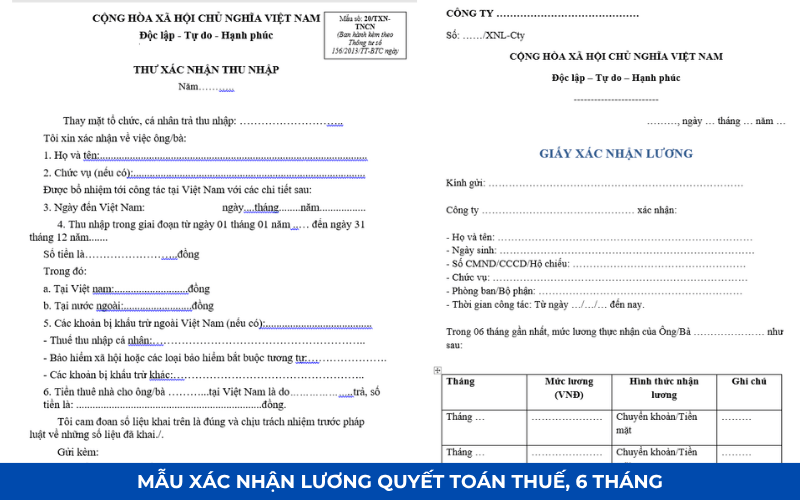
| Mẫu xác nhận bảng lương | Biểu mẫu xác nhận thu nhập, lương thực nhận giữa người lao động và doanh nghiệp, phục vụ đối chiếu, lưu trữ chứng từ. | Tải tại đây |
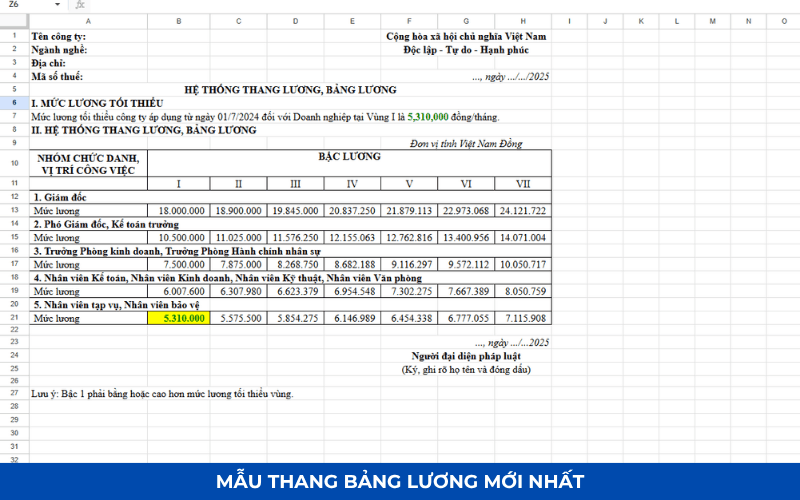
| Mẫu thang bảng lương | Xây dựng hệ thống chức danh, ngạch bậc, hệ số lương, mức lương tương ứng theo từng vị trí công việc trong doanh nghiệp. | Tải tại đây |
1.1. Mẫu báo cáo nhân sự
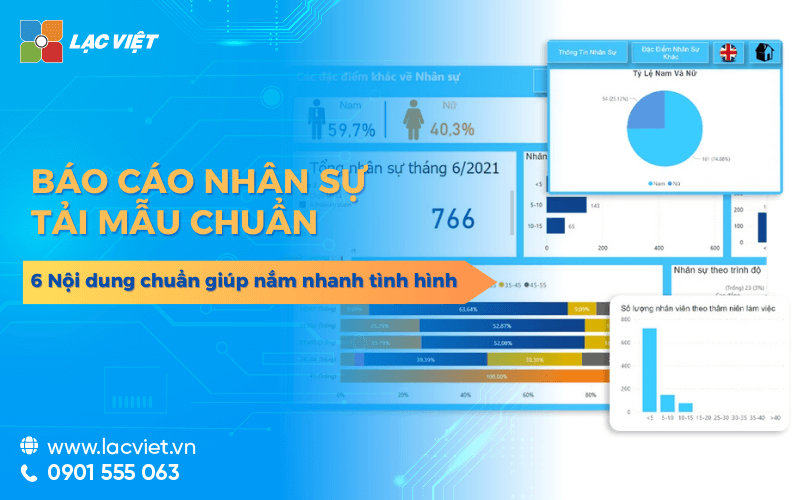
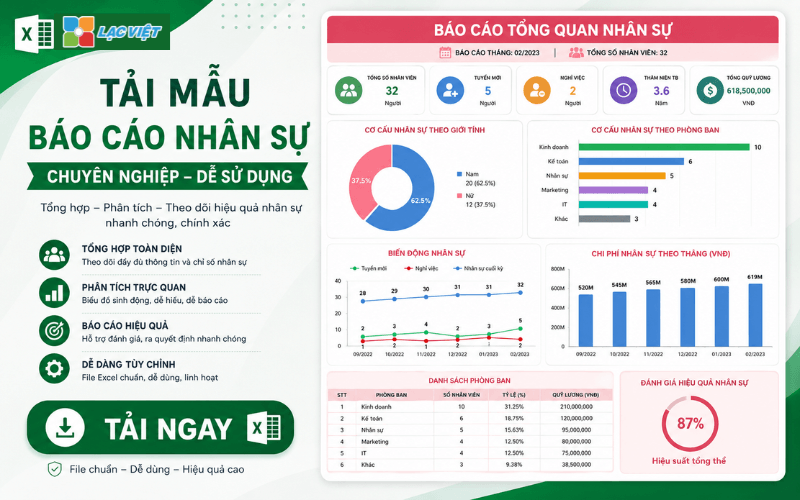
Mẫu báo cáo nhân sự là công cụ giúp doanh nghiệp theo dõi, đánh giá tình hình quản trị nguồn nhân lực theo từng giai đoạn. Báo cáo thường tổng hợp các chỉ số quan trọng như số lượng nhân sự hiện có, biến động tăng giảm lao động, tỷ lệ nghỉ việc, hiệu quả tuyển dụng, tình hình đào tạo và chi phí nhân sự.
Thông qua báo cáo nhân sự, ban lãnh đạo có thể nhanh chóng nắm bắt thực trạng nguồn nhân lực, từ đó đưa ra các quyết định điều chỉnh kế hoạch tuyển dụng, đào tạo – phát triển nhân tài phù hợp với mục tiêu kinh doanh.
Các trường thông tin chính:
- Tổng số nhân viên
- Nhân sự tăng mới
- Nhân sự nghỉ việc
- The rate of the holiday
- Cơ cấu nhân sự theo phòng ban
- Chi phí lương, phúc lợi
- Kết quả tuyển dụng
- Báo cáo đào tạo
1.2. Mẫu bảng chấm công
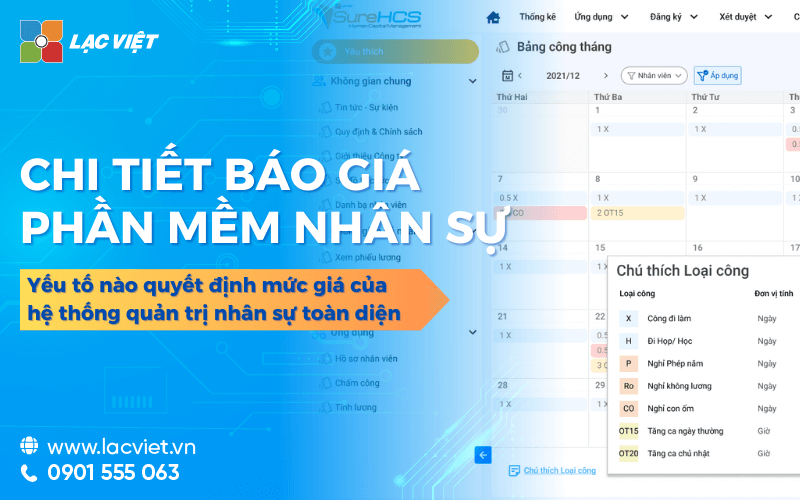
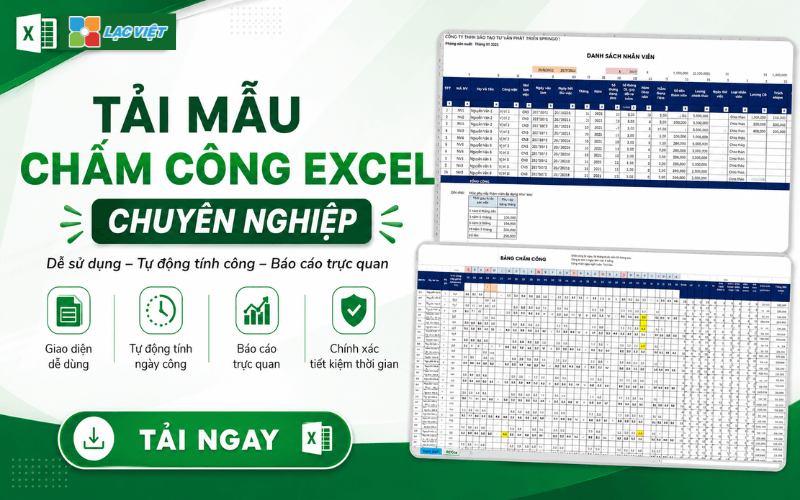
Timesheets là biểu mẫu dùng để ghi nhận thời gian làm việc thực tế của nhân viên trong kỳ tính lương. Đây là căn cứ quan trọng để tính lương, phụ cấp, thưởng, các chế độ liên quan.
Doanh nghiệp có thể sử dụng bảng chấm công theo ngày, tuần hoặc tháng tùy theo quy mô quản lý. Mẫu thường tích hợp các ký hiệu công chuẩn, nghỉ phép, nghỉ không lương, công tác và tăng ca.
Các trường thông tin chính:
- Employee code
- Name
- Parts
- Ngày công trong tháng
- Vacation
- Nghỉ lễ
- Nghỉ không lương
- The number of hours of overtime
- Tổng công thực tế
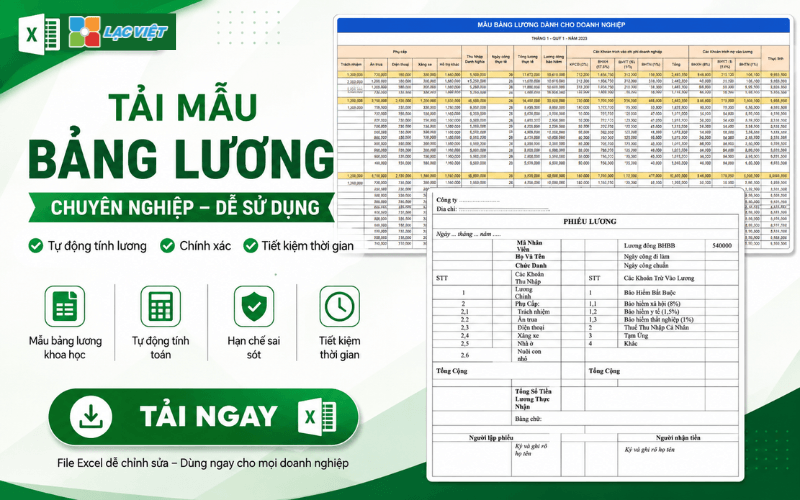
1.3. Mẫu bảng tính lương
Bảng tính lương giúp doanh nghiệp tổng hợp và tính toán thu nhập của người lao động một cách chính xác. Mẫu Excel thường được thiết kế với công thức tự động để giảm sai sót trong quá trình tính toán.
Ngoài lương cơ bản, bảng lương còn bao gồm các khoản phụ cấp, thưởng, khấu trừ bảo hiểm, thuế thu nhập cá nhân, mức lương thực nhận.
Các trường thông tin chính:
- Employee code
- Basic salary
- Ngày công thực tế
- Allowance
- Tiền thưởng
- Tăng ca
- SOCIAL INSURANCE, HEALTH INSURANCE
- PIT
- Food get
1.4. Mẫu Excel quản lý hồ sơ nhân sự
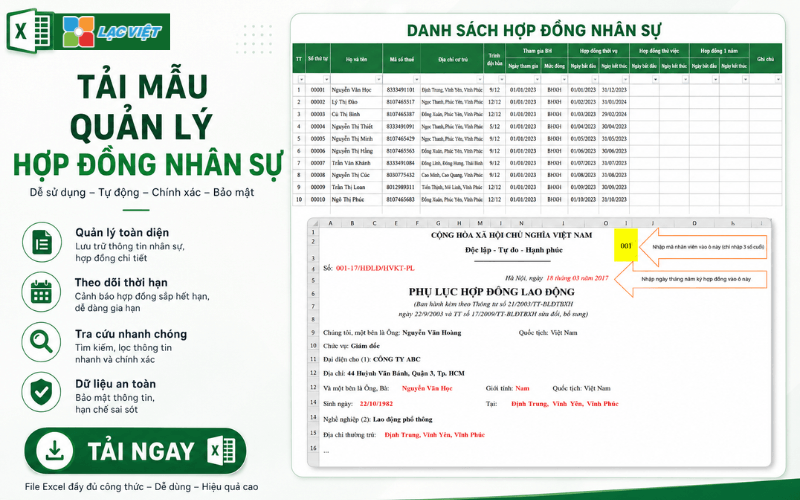
Mẫu quản lý hồ sơ nhân sự giúp doanh nghiệp lưu trữ tập trung toàn bộ thông tin của người lao động trên một file Excel duy nhất. Đây là giải pháp phù hợp với doanh nghiệp nhỏ và vừa chưa triển khai phần mềm HRM chuyên nghiệp.
Việc quản lý hồ sơ đầy đủ giúp doanh nghiệp dễ dàng tra cứu thông tin, theo dõi hợp đồng lao động, đánh giá năng lực, phục vụ công tác nhân sự lâu dài.
Các trường thông tin chính:
- Employee code
- Name
- Date of birth
- CCCD/CMND
- Address
- Trình độ học vấn
- Position
- Departments
- Ngày vào làm
- Thông tin hợp đồng lao động
- Thông tin người liên hệ khẩn cấp
1.5. Mẫu quy chế lương thưởng
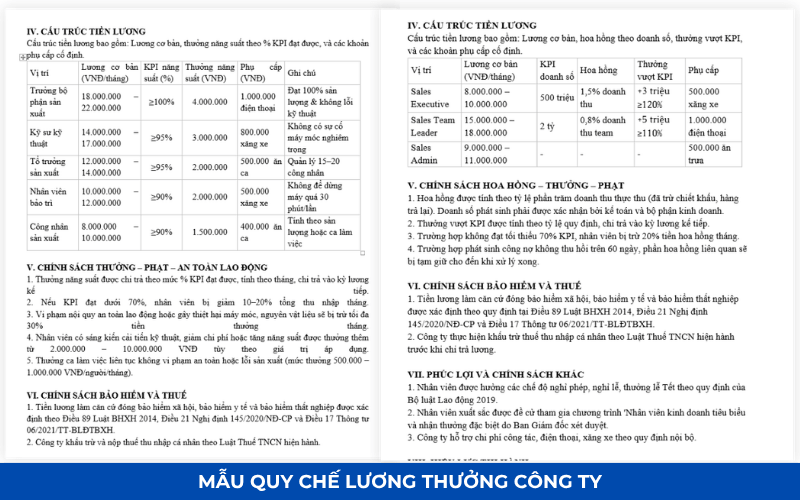
Regulation salaries and bonuses là văn bản quy định nguyên tắc xây dựng, quản lý, chi trả lương thưởng trong doanh nghiệp. Đây là cơ sở để đảm bảo tính minh bạch, công bằng và tuân thủ quy định pháp luật lao động.
Một quy chế lương thưởng rõ ràng giúp người lao động hiểu được cơ chế trả lương, điều kiện xét thưởng, lộ trình tăng lương, từ đó nâng cao động lực làm việc.
Main content:
- Nguyên tắc trả lương
- Pay scale
- Chính sách phụ cấp
- Chính sách thưởng
- Điều kiện tăng lương
- Chế độ phúc lợi
- Trách nhiệm thực hiện
- Quy định xử lý vi phạm
1.6. Mẫu quản lý tuyển dụng
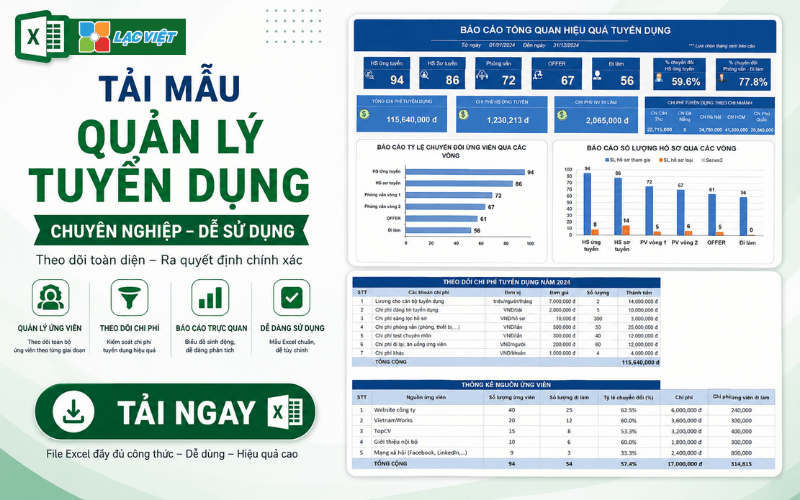
Mẫu quản lý tuyển dụng giúp bộ phận nhân sự theo dõi toàn bộ quá trình tuyển dụng từ khi phát sinh nhu cầu nhân sự đến khi ứng viên nhận việc.
Biểu mẫu này hỗ trợ kiểm soát tiến độ tuyển dụng, đánh giá hiệu quả các kênh tuyển dụng và tối ưu chi phí tuyển dụng cho doanh nghiệp.
Các trường thông tin chính:
- Vị trí tuyển dụng
- Departments
- Số lượng cần tuyển
- Ngày yêu cầu tuyển dụng
- Kênh tuyển dụng
- Số lượng hồ sơ nhận được
- Interview results
- Trạng thái tuyển dụng
- Chi phí tuyển dụng
- Ngày nhận việc
1.7. Mẫu xác nhận bảng lương
Mẫu xác nhận bảng lương là biểu mẫu được sử dụng để đối chiếu và xác nhận thông tin thu nhập giữa người lao động, doanh nghiệp.
Biểu mẫu giúp đảm bảo tính minh bạch trong công tác trả lương, đồng thời là căn cứ giải quyết các vấn đề phát sinh liên quan đến tiền lương.
Các trường thông tin chính:
- Name
- Employee code
- Kỳ lương
- Basic salary
- Allowance
- Enjoy
- Các khoản khấu trừ
- Food get
- Signature of employee
- Chữ ký xác nhận của doanh nghiệp
1.8. Mẫu thang bảng lương
Pay scale là hệ thống quy định mức lương theo từng chức danh, cấp bậc hoặc nhóm công việc trong doanh nghiệp. Đây là cơ sở để xây dựng chính sách đãi ngộ, tuyển dụng, đánh giá nhân sự.
Một hệ thống thang bảng lương khoa học giúp doanh nghiệp đảm bảo tính công bằng nội bộ, nâng cao khả năng giữ chân nhân tài, kiểm soát chi phí nhân sự hiệu quả.
Các trường thông tin chính:
- Nhóm chức danh
- Position
- Bậc lương
- Hệ số lương
- Mức lương tối thiểu
- Mức lương tối đa
- Điều kiện nâng bậc
- Thời gian xét nâng lương
- Ghi chú chính sách áp dụng
Lưu ý: Khi số lượng nhân viên vượt từ 100 – 200 người trở lên, việc quản lý bằng Excel sẽ phát sinh nhiều hạn chế như dữ liệu phân tán, khó kiểm soát phiên bản, dễ sai sót khi tính lương, mất nhiều thời gian tổng hợp báo cáo. Lúc này doanh nghiệp nên cân nhắc triển khai phần mềm quản lý nhân sự tích hợp chấm công, tính lương, hồ sơ nhân viên để tự động hóa quy trình và nâng cao hiệu quả quản trị.
DOWNLOAD THE WHOLE FILE MANAGEMENT PERSONNEL IN EXCEL
2. Vì sao doanh nghiệp vẫn dùng Excel trong quản lý nhân sự?
Personnel management in Excel is a method of using Excel spreadsheets to store, track, and manage all the data related to personnel in business. The data typically include personal information, departments, job placement, labor contracts, timesheets, payroll, and the statistical reporting personnel.
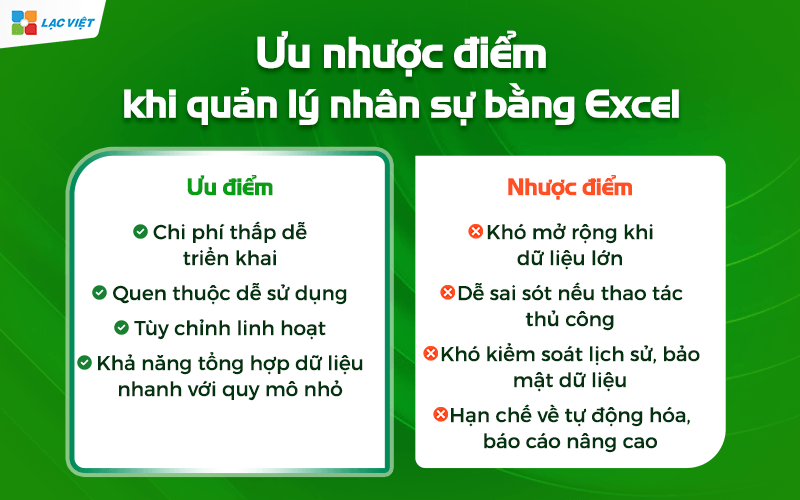
| Strengths | Weakness |
|
|
Illustrative example: A small and medium business with about 50-100 staff can use Excel to manage records, timekeeping, and payroll every month. Employee HR only need to update the table, enter payroll data and Excel will sum calculation helps to reduce errors compared to type on paper.
The small and medium enterprises still use Excel or other spreadsheet similar to data management personnel. Main reasons include:
- Low-cost convenience: No need to invest in software HRM complex.
- Easy to apply, familiar: Personnel do not need knowledge IT deep.
- Flexibility: custom Business can change the recipe, add column information, or create new reports according to the needs.
Use Excel helps organizations can manage personnel in Excel effective in the early stages or when the scale of business was small at the same time create a premise to switch to software HRM professional as business development.
3. Analyze the advantages and disadvantages when personnel management by Excel
Personnel management in Excel is a popular choice with many businesses, especially medium organizations and small. However, like every tool, this method has advantages and limitations. Understand the pros and cons will help businesses make the right decision.
3.1 Advantages
- Low cost, easy to deploy: Excel is software available in the Microsoft Office business do not have to pay the extra cost HR software for professional use. The deployment is also very fast, just staff HR familiar manipulate Excel is able to operate immediately.
- Easy to use familiar: Most office workers are familiar with Excel. The basic operations such as data entry, sort, filter, or use the formula SUM, IF... are easy to implement. This minimizes training time and increase working speed.
- Flexibility: custom Business can create template file personnel management in Excel according to own needs: timesheets, payroll, report on personnel, or track KPI. Is not restrictive as specialized software has fixed structure.
- Ability to synthesize data with quick small scale: With business under 50 employees, Excel can handle efficiently the report as aggregate hours, payroll, statistics on the number of vacation days, or report fluctuations in hr.
3.2 Disadvantages
- Hard open wide when big data: When the number of employees exceeds 50-100, the Excel file to become heavy, slow, hard to control data.
- Easy to errors if the handcrafted: Each input, or change the recipe all the potential risk of errors, especially when there are multiple sheet link.
- Difficult to control historical data security: Excel does not support authorization details such as software HRM. Keeping track of who has edited the data, when often difficult to implement, leading to risks of security.
- Restrictions on automation, advanced reporting: The reporting complex or need to automate many of the steps will be difficult to perform with Excel. For example, the report KPI monthly aggregate fluctuations personnel, or data integration from various sources.
4. When business should upgrade from Excel to software HRM?
When business development, demand management, personnel management increasingly complex, maintaining Excel will no longer be effective. Below are signs that the business should consider the upgrade:
Business should upgrade from Excel to software HRM when we started dealing with the signs that Excel no longer meet the requirements management. The time of “ripe” to switch include:
4.1. When hr data becomes complex and rapid increase in the scale
Excel match for the period under 30-50 hr. But when a business expands up 100 – 300 – 500 who you will meet:
- Excel File too heavy, easy to bugs recipe.
- The risk of data loss or overwritten.
- Take a lot of time and synthesize data from many different file (recruitment, contracts, attendance, pay, benefits).
When data arise constantly and related to multiple departments, Excel is no longer able to control consistency.
4.2. When process, timekeeping, and payroll become “points of congestion”
This is usually the signs most clearly.
The typical problem:
- Collect attendance data from multiple ca/region takes 2-5 days per pay period.
- Recipe salary complex leads to errors, employee questions, discredit Personnel.
- Process for control of allowances, overtime, bonuses and penalties, must do crafts on multiple sheets.
When every pay period take too much time or constantly going wrong, it is time to move on to HRM to automation.
4.3. When businesses need to comply with legal tighter
The work as:
- Updates change policy SOCIAL PIT
- Storage contract, decision, labor records in accordance
- Track contract term, the mold increases wage, reward, discipline
- Reported on form Decree/new circular
If the business must do crafts or continuous violations due to lack of timely data, HRM solution is required.
4.4. When the desired amount of chemical processes and increase the experience staff
If the organization towards operate modern, something that Excel can't do:
- Employee self update profile, registered, vacation, view the pay table online.
- Management approval right on your phone.
- Automatically prompt-term contract, try the.
- Optimal recruitment process, integration, performance reviews.
This is an important milestone to improve the HR of data center operation, not only the administrative department.
4.5. When leaders need data quickly and accurately to a decision
Excel for your data “static”. When needed:
- The rate of the holiday months
- The productivity report by departments
- Labor costs, according to the project
- Forecast personnel budget
...then the general will slow and not accurate.
HRM allows to extract reports instant, from then on the leader board decisions faster and more confidently.
4.6. When the risk to data security begins to rise
Excel File:
- Prone to copy.
- Do not track is history edit.
- Unlimited distribution rights detailed in the role.
While salary information, taxes, contracts, discipline are all data secret. HRM helps establish decentralized to individual school data to help businesses more secure.
4.7. When businesses want to standardize the entire hr process
A software HRM standard will help standardize the business service:
- Recruitment – integration
- Records management – contract
- Attendance – payroll – benefits
- Training – reviews – inheritance
Standardization is necessary when businesses step in the expansion phase, or directed to items (ISO, ESG, convert number).
Business should move from Excel to HRM when Excel starts causing congestion operate, reveal flaws, take a lot of time control, or no longer ensure security and compliance. This is step help standardize processes, improve performance, hr and create a platform for the conversion of.
5. Human resource management comprehensive with Lac Viet SureHCS HRM
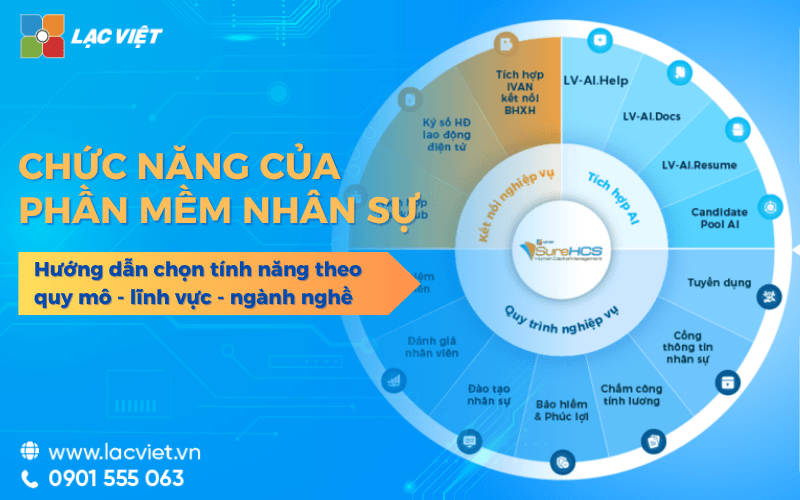
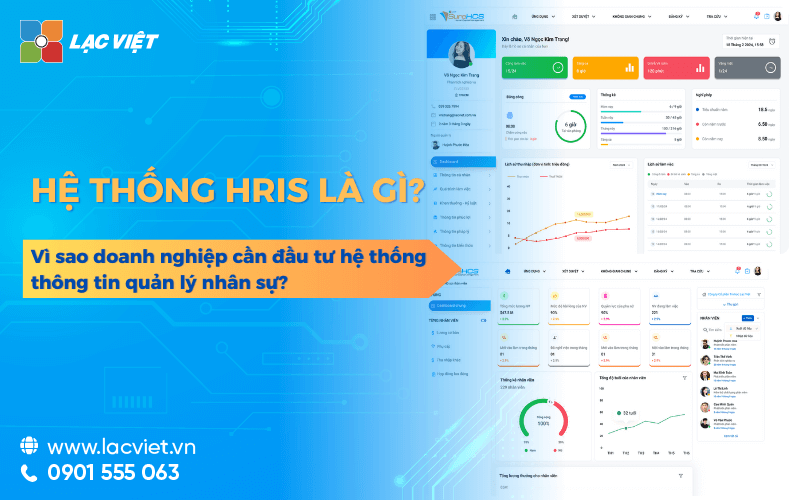
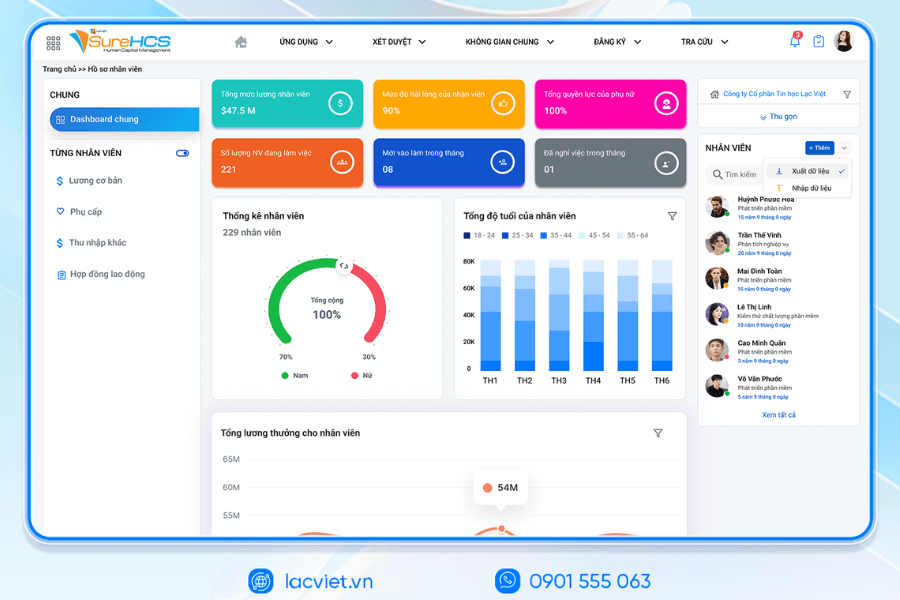
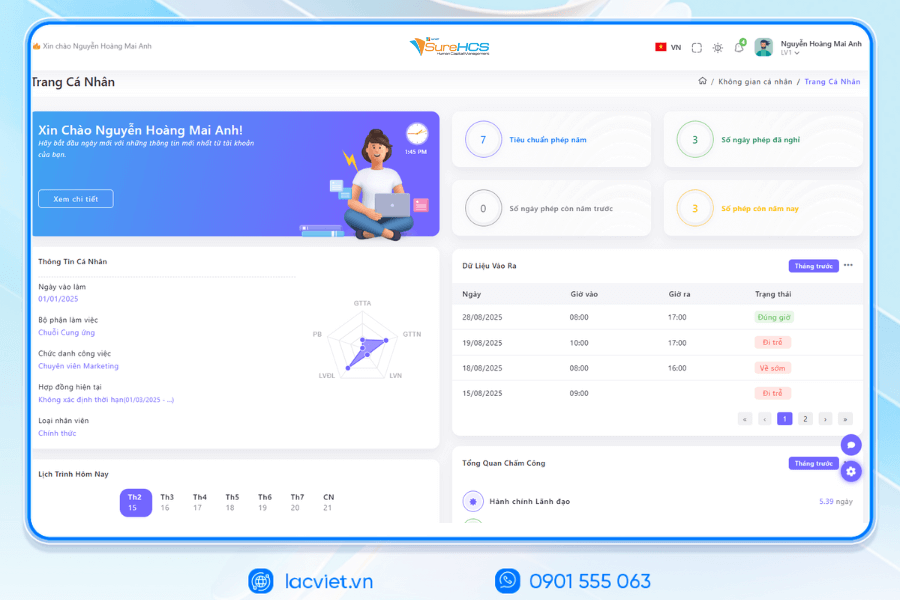
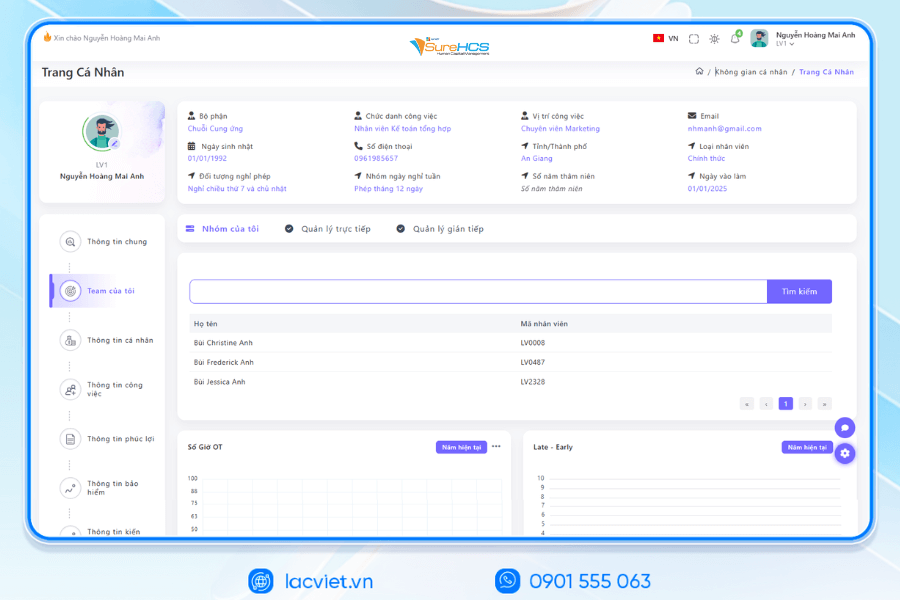
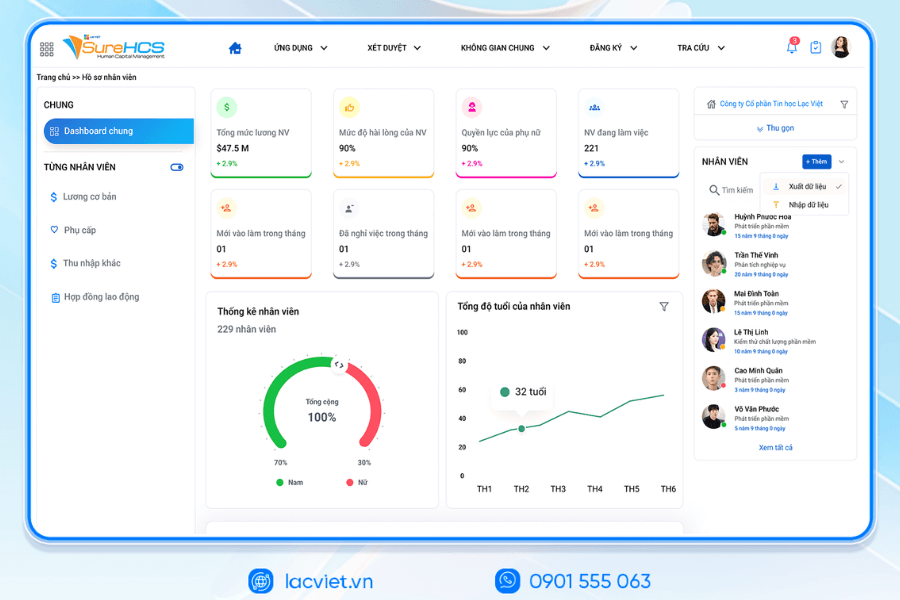
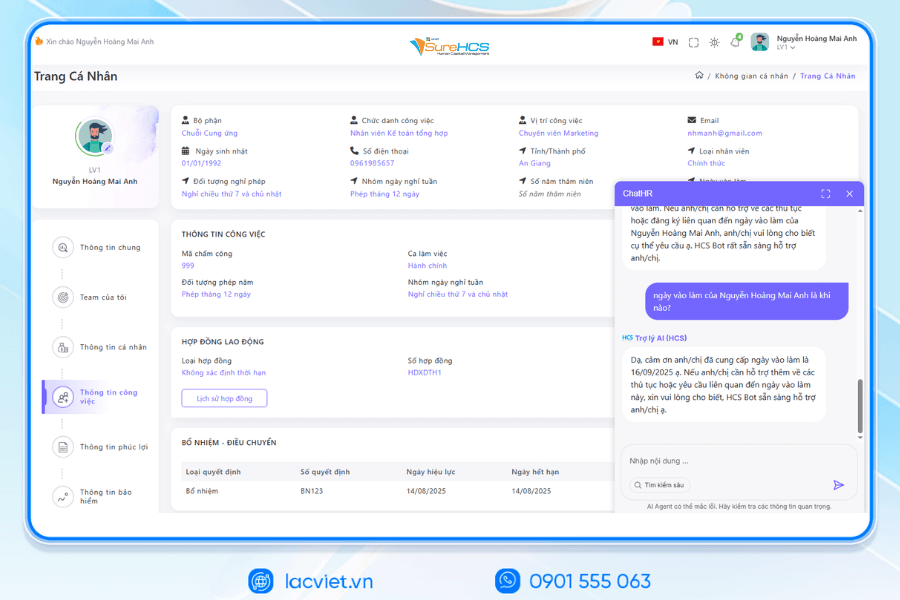
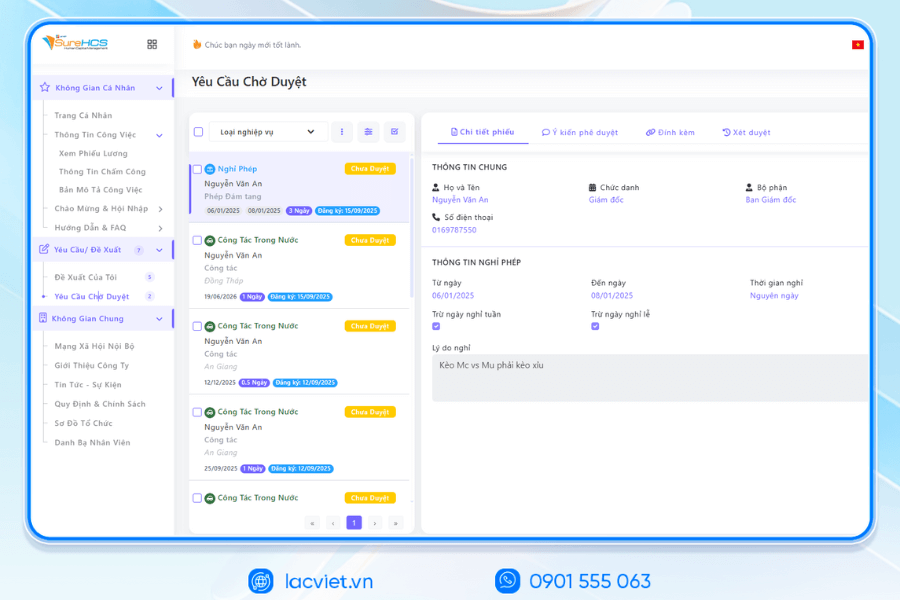
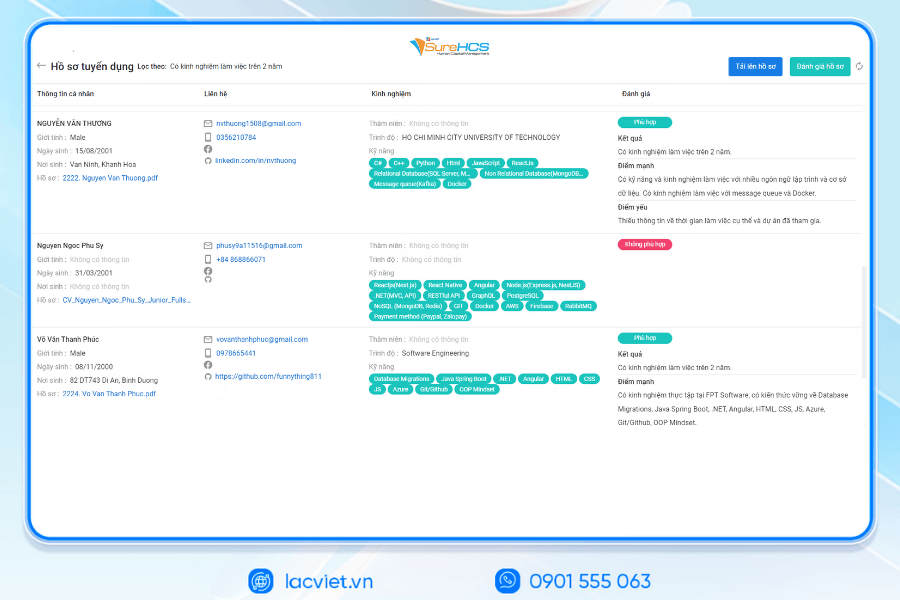
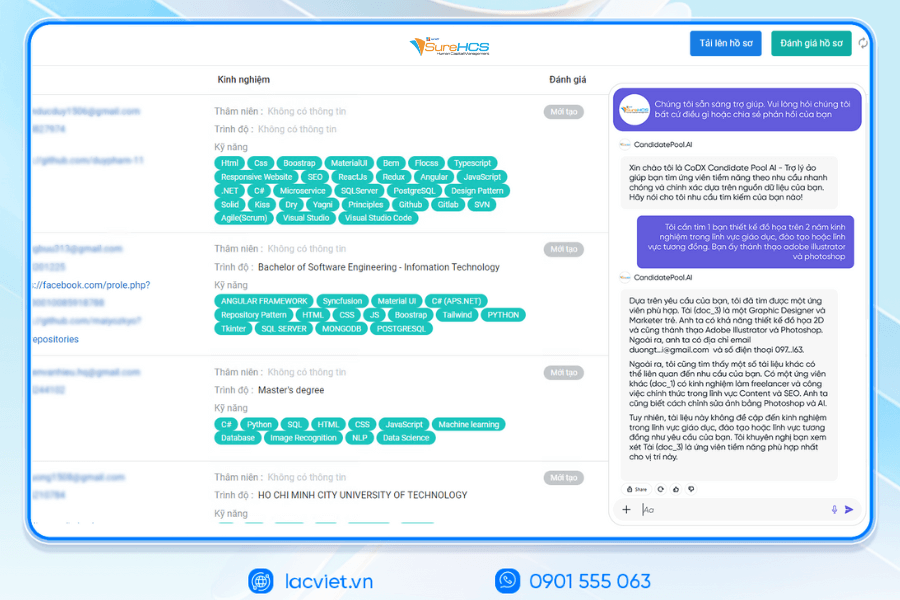
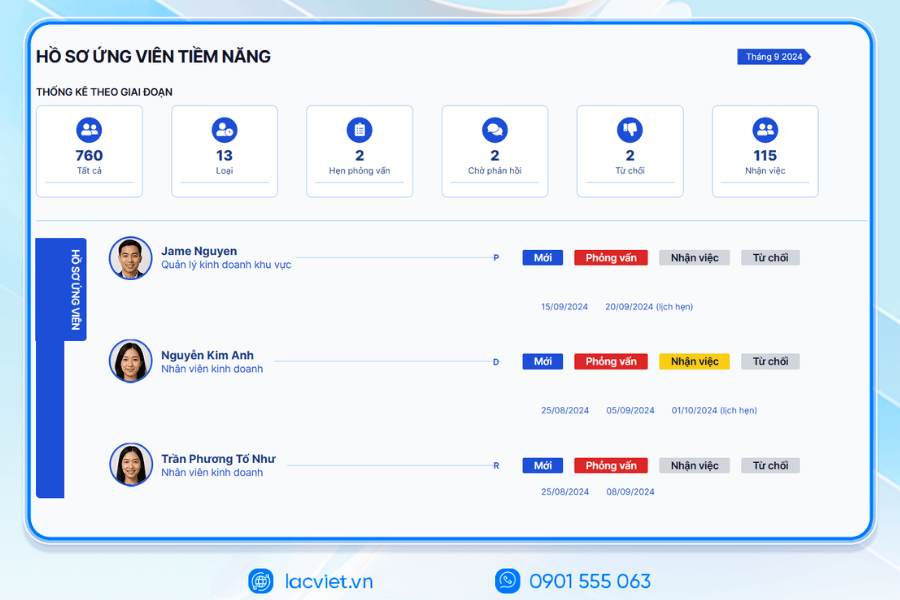
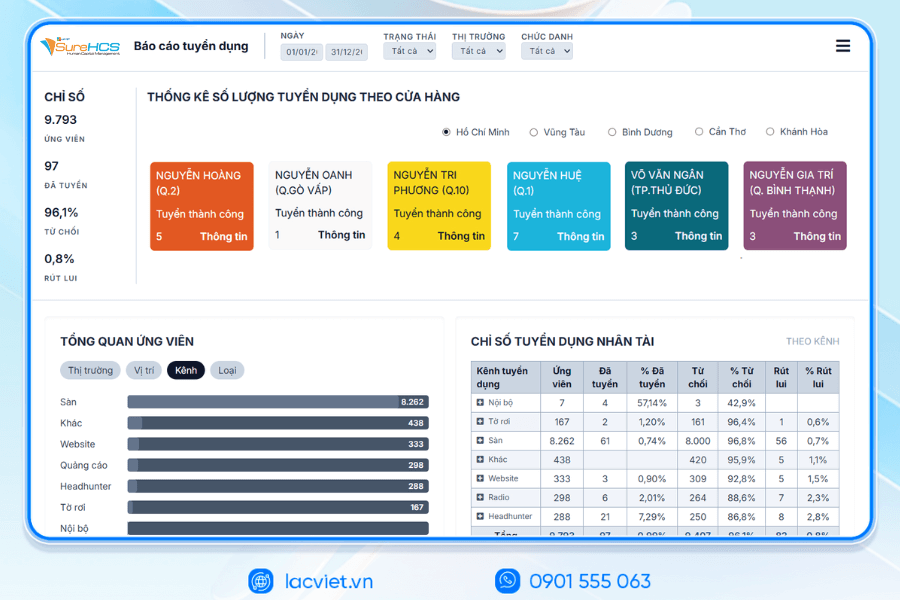
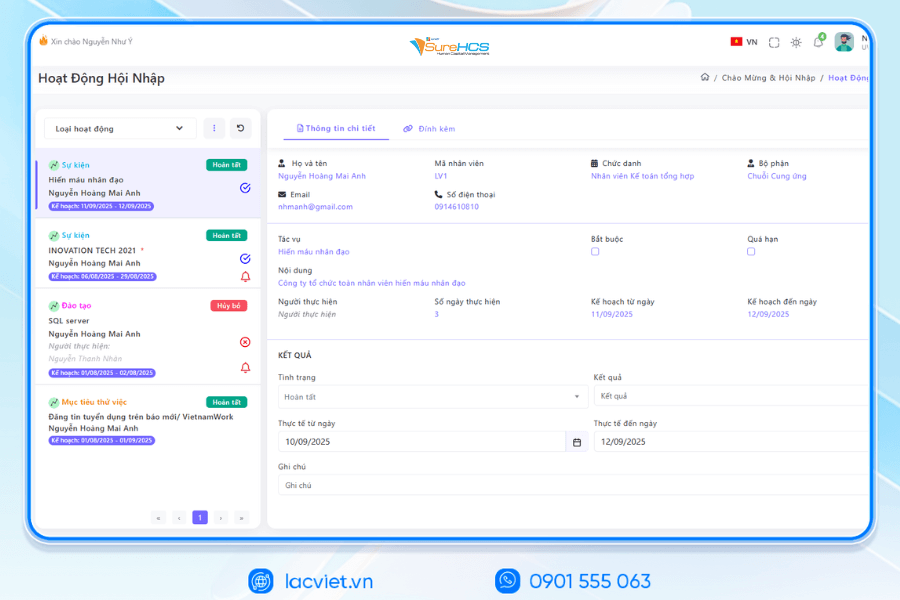
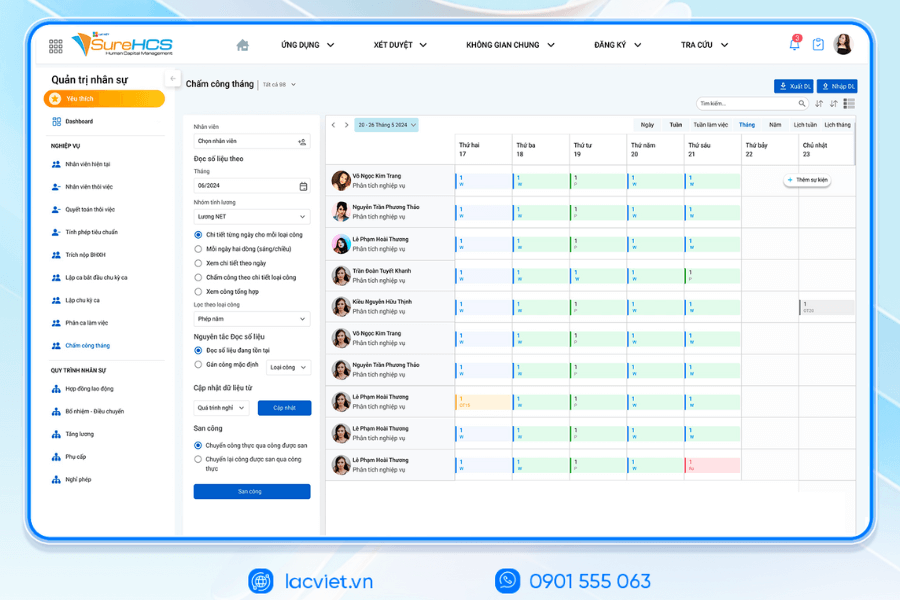
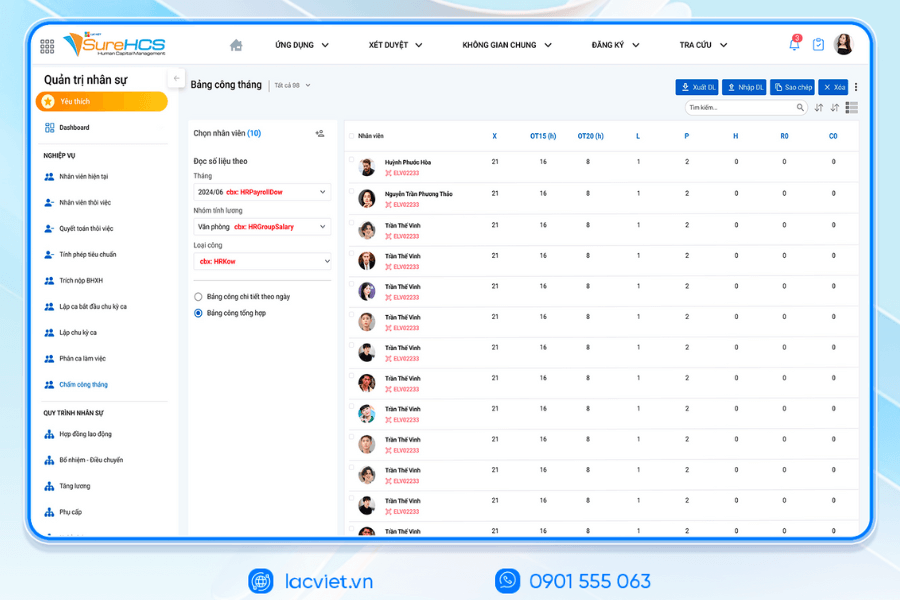
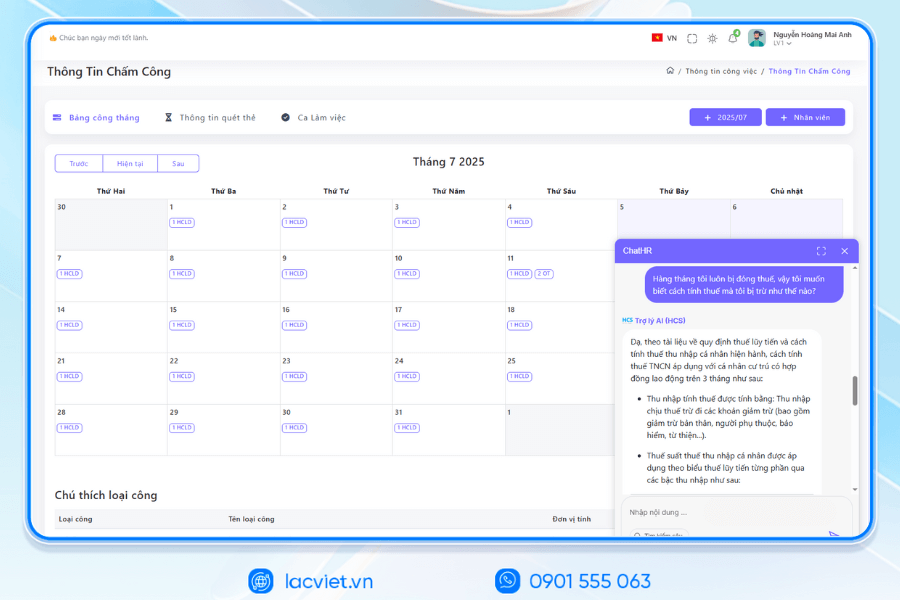
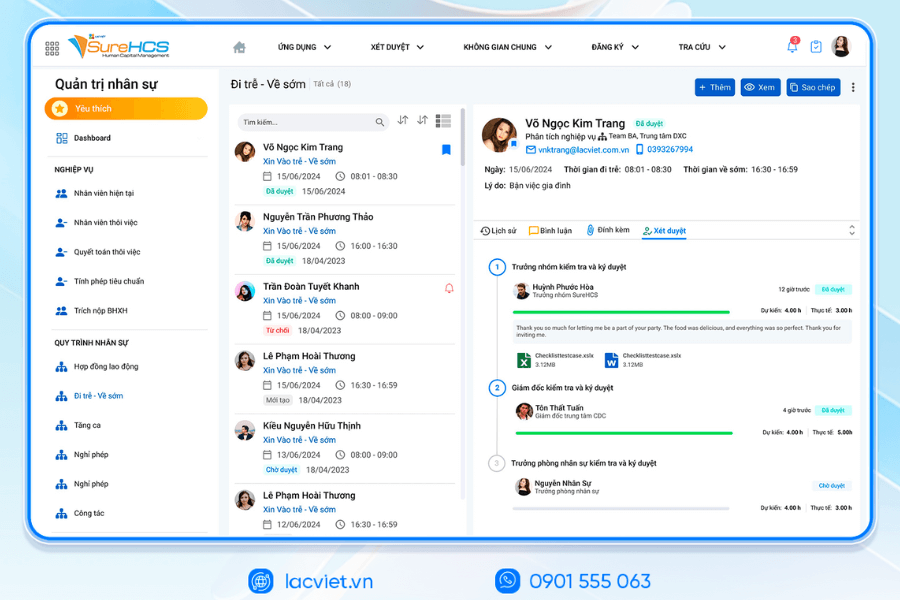
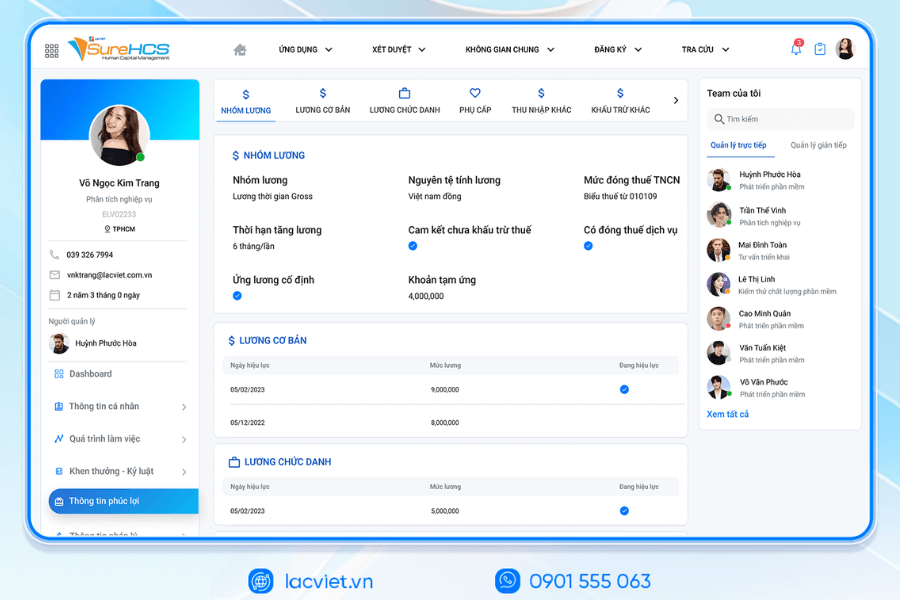
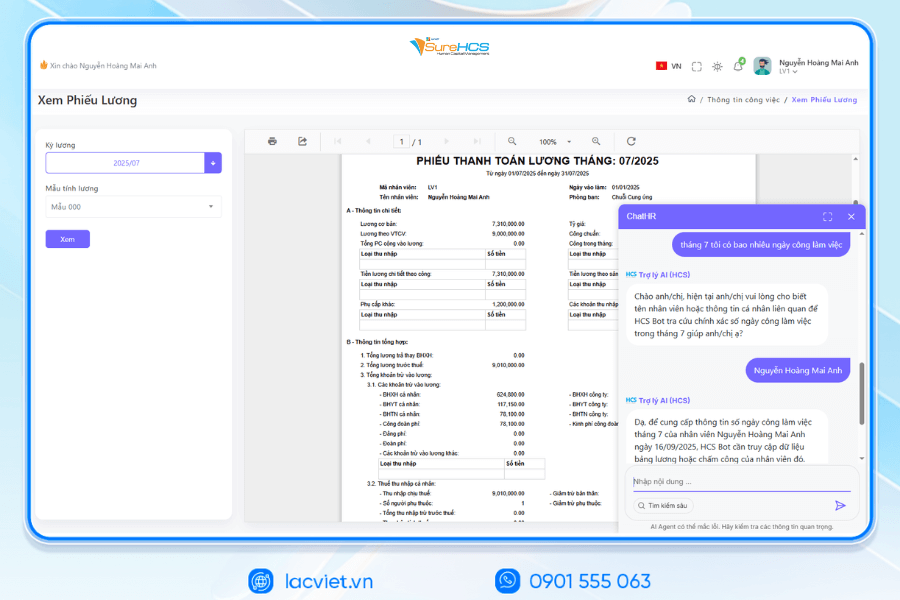
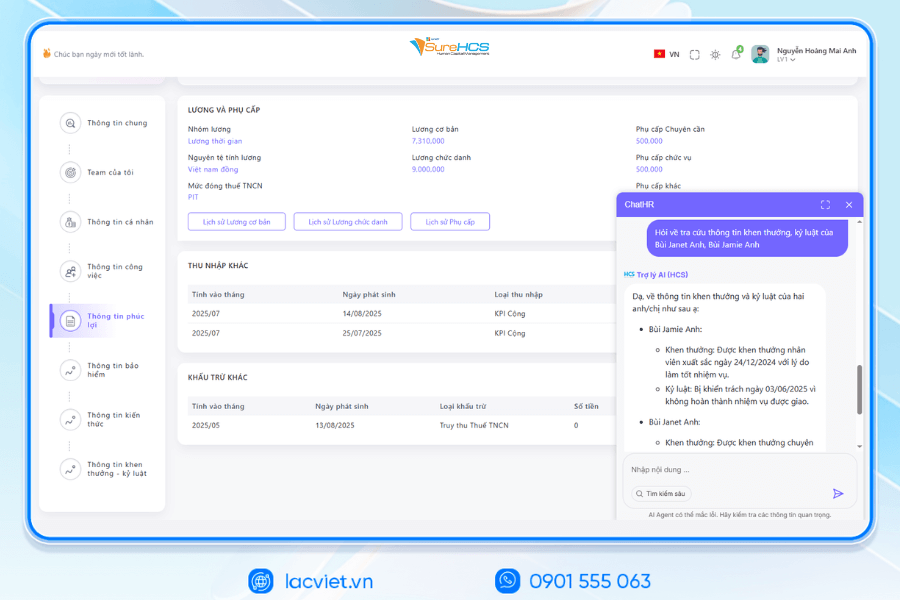
Lac Viet SureHCS HRM is a software solution managing the entire interface is designed to support enterprise organizations personnel management in an automated way the exact flexible.
The software provides the distribution system from the manage employee profiles, attendance, payroll, benefits manager to report aggregated data analysis hr assist HR maximum decrease action limit errors easily make decisions based on real data. Thanks to the friendly interface and the ability to customize according to needs each business, Lac Viet SureHCS HRM not only suitable for the small and medium companies, but also meet the management requirements of large corporations.
WHY BUSINESSES SHOULD CHOOSE TOUCH THE SUREHCS?
- Customized according to the actual business, no pressure mold as packaged software.
- Handle the personnel – salaries complex that many software HRM other does not respond.
- Deep understanding operated business English & FDI, ensure compliance with legal Vietnam (labour, SOCIAL insurance and personal income tax).
- Ecosystem integration strength: attendance – payroll – bank – SI – electronic contract.

See details, feature & get FREE Demo
CONTACT INFORMATION
- Hotline/Zalo: 0901 555 063
- Email: surehcs@lacviet.com.vn
- Website: https://lacviet.vn | www.surehcs.com
- Office address: 23 Nguyen Thi Huynh, Phu Nhuan, ho chi minh CITY.CITY
Using the software, businesses can quickly track fluctuations in hr, optimal staffing costs improve the experience for employees, thereby increasing operational efficiency and competitiveness in the market.
The use of hr manager in Excel, bring a lot of value for businesses, especially the SMEs. Excel helps to store employee information, attendance, payroll, general report quickly, cost savings, and ease of deployment. However, when the extended enterprise management needs become more complex, maintaining Excel will meet restrictions on security, automation, ability to handle big data.
Therefore, the organization can combine Excel with sample file management personnel in Excel optimal or consider switching to software HRM professional such as Vietnam SureHCS HRM to enhance effective management personnel, reduce errors and shorten the time to perform the daily work.