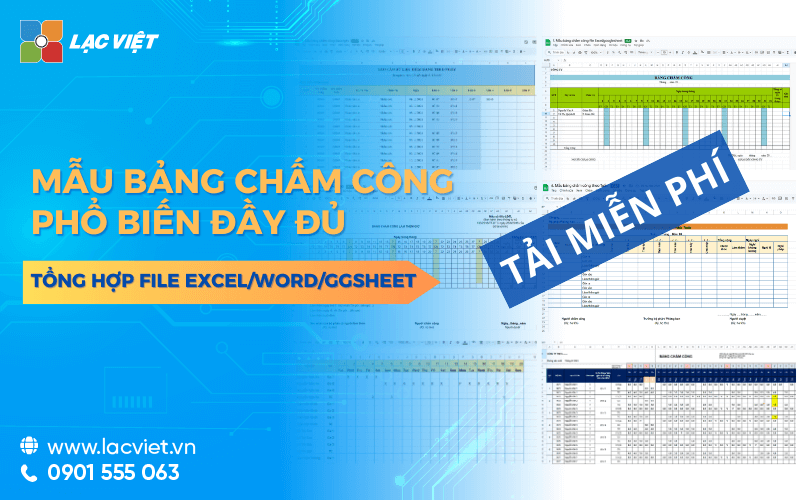

Sample timesheets tool is recorded working time, working time and holidays of staff, played a key role in the calculation of precision and performance reviews. Business can apply a diversity of model by day, week, month, according to the ca, by product trên định dạng Excel, Word hoặc hệ thống tự động tích hợp. Một bảng công tiêu chuẩn cần bao gồm thông tin nhân sự, ký hiệu chấm công, các công thức tính toán tự động để đảm bảo tính minh bạch và tiết kiệm thời gian vận hành.
Tùy theo đặc thù hoạt động, các tổ chức, doanh nghiệp có thể lựa chọn mẫu bảng chấm công hàng ngày, bảng chấm công theo tháng, chấm công file Excel hoặc file bảng chấm công tự động tích hợp software, timekeeping, and payroll help the hr department save time, reduce errors and ensure transparency in pay.
This article Lac Viet sẽ tổng hợp các loại mẫu bảng chấm công nhân viên phổ biến hiện nay từ file chấm công theo ngày, theo ca, theo giờ đến mẫu chấm công sản xuất, làm thêm giờ hay theo quy định Thông tư 133, 107, 99 kèm ưu nhược điểm để doanh nghiệp dễ dàng lựa chọn.
CLICK ĐỂ TẢI FILE MẪU BẢNG CHẤM CÔNG ĐẦY ĐỦ NHẤT
1. 12 Mẫu bảng chấm công file excel/word tự động 2026 miễn phí dễ dùng
| Tên mẫu | Mô tả nhanh | Link tải |
| Mẫu bảng chấm công hàng ngày file Excel/Google Sheet | Theo dõi thời gian làm việc, đi muộn, về sớm và nghỉ phép của nhân viên theo từng ngày. Phù hợp với doanh nghiệp cần kiểm soát công hàng ngày. | Tải tại đây |
| Mẫu bảng chấm công theo tuần file Excel/Google Sheet | Tổng hợp dữ liệu chấm công theo tuần, giúp quản lý nhanh số ngày làm việc, thời gian làm thêm của nhân viên. | Tải tại đây |
| Mẫu bảng chấm công theo tháng file Excel/Google Sheet | Mẫu phổ biến nhất dùng để tổng hợp ngày công, nghỉ phép, tăng ca và làm cơ sở tính lương hàng tháng. | Tải tại đây |
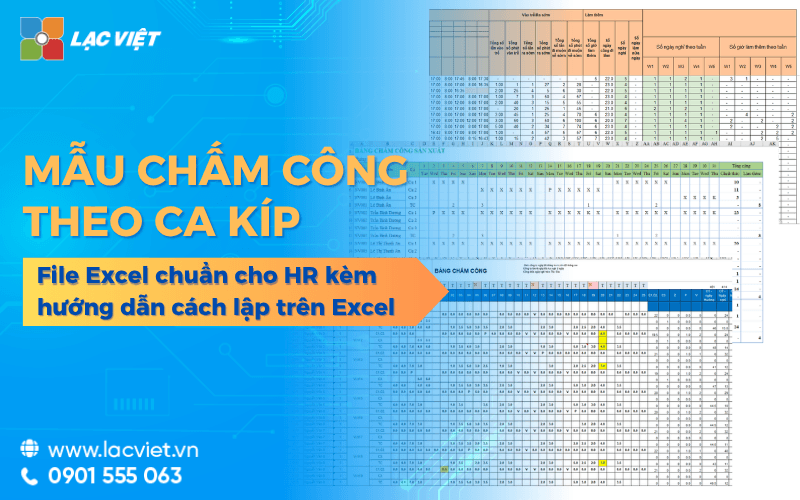
| Mẫu bảng chấm công theo ca file Excel/Google Sheet | Theo dõi chi tiết các ca làm việc như ca sáng, chiều, tối hoặc ca xoay. Thích hợp cho ngành sản xuất, bán lẻ, F&B. | Tải tại đây |
| Mẫu bảng chấm công theo giờ file Excel/Google Sheet | Quản lý thời gian làm việc theo giờ thực tế, hỗ trợ tính lương theo giờ cho nhân viên thời vụ hoặc bán thời gian. | Tải tại đây |
| Mẫu bảng chấm công làm thêm giờ (OT) file Excel/Google Sheet | Ghi nhận số giờ làm thêm trong ngày thường, cuối tuần, ngày lễ để phục vụ tính lương tăng ca chính xác. | Tải tại đây |
| Mẫu bảng chấm công theo Thông tư 133, 107, 200 | Thiết kế theo các biểu mẫu kế toán hiện hành, đáp ứng yêu cầu quản lý công, lưu trữ chứng từ của doanh nghiệp, đơn vị hành chính sự nghiệp. | Tải tại đây |
| Mẫu bảng chấm công sản xuất file Excel/Google Sheet | Theo dõi công làm việc theo tổ, chuyền hoặc phân xưởng, kết hợp quản lý sản lượng, năng suất lao động. | Tải tại đây |
| Mẫu bảng chấm công cơ bản file Excel/Google Sheet | Mẫu đơn giản gồm danh sách nhân viên, ký hiệu công, tổng công trong tháng. Dễ sử dụng cho doanh nghiệp nhỏ. | Tải tại đây |
| Mẫu bảng chấm công file Word | Biểu mẫu chấm công thủ công để in, ký xác nhận, phù hợp với doanh nghiệp chưa áp dụng phần mềm chấm công điện tử. | Tải tại đây |
| File bảng chấm công tự động Excel | Tích hợp công thức tự động tính ngày công, công chuẩn, nghỉ phép, tăng ca, xuất dữ liệu phục vụ tính lương nhanh chóng. | Tải tại đây |
1.1 Mẫu bảng chấm công hàng ngày file excel/ Google Sheet
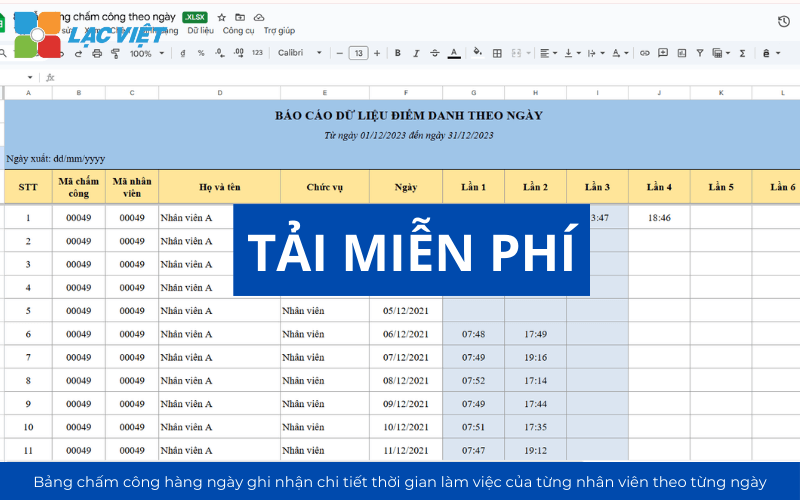
Daily timesheet is designed to record details of the working time of each employee each day. Each line expressed a hr, each column corresponds to a day in January, with the symbol, or number of hours worked.
How to use:
- Suitable for the industry has properties shift work such as manufacturing, construction, food services, hotels.
- To help manage the surveillance state goes late, early or increased ca.
Advantages:
- Easy to control fluctuations in hr during the day.
- Can be combined with signature confirmation of management to increase transparency.
Illustrative example: A sewing workshop with 200 workers can use daily timesheet to record clear morning shift, afternoon shift and overtime help parts C&B quickly aggregate data when calculating the salary, allowances, bonuses for attendance.
1.2 Mẫu bảng chấm công theo tuần file excel/ Google Sheet
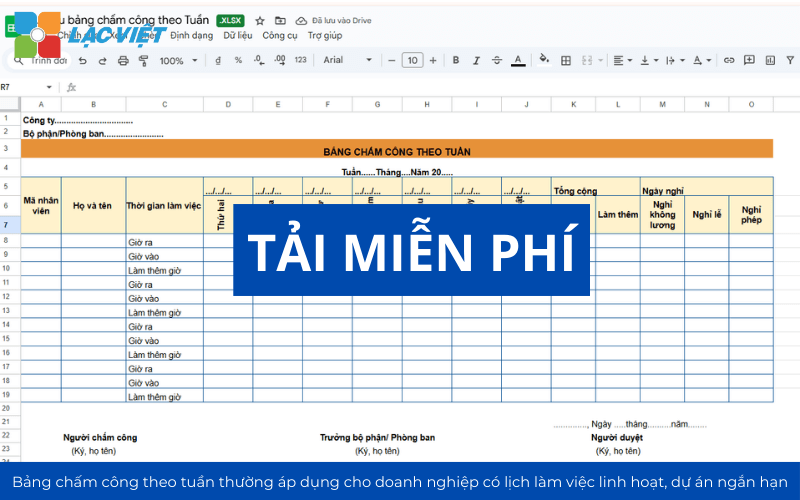
Timesheets week by week is designed to track the working time of employees in each week, usually applied to businesses with flexible work schedules, short-term project or working environment, according to the task (task-based). This template allows to quickly manage aggregate number of working hours, holidays, overtime hours of employees that do not need to wait to month end.
Businesses often apply the template attendance by week in these situations:
- Management personnel short-term projects: For example, construction or team events need to report progress, time work weekly.
- Businesses have hr part-time or hourly: The key by week helps ensure timeliness in the calculation of wages.
- Control work performance: Management easily evaluate productivity even during the week, take out adjustable fit.
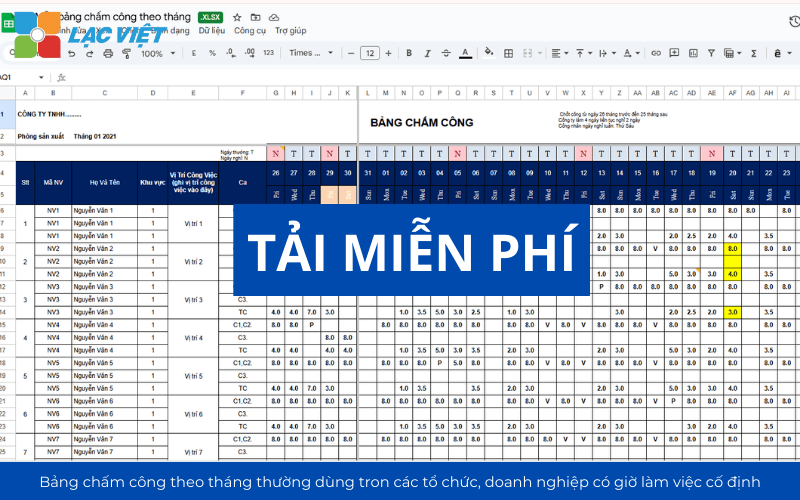
1.3 Mẫu bảng chấm công theo tháng file excel/ Google Sheet
This is the board to include the number of days or hours during a month of work, often used in the office environment or the organization, business hours and fixed working.
How to use:
- Each employee is recorded the total number of days working, number of days of leave, leave without pay and number of hours of overtime in the month.
- The data is compiled once at the end of the pay period.
Advantages:
- Reduce the time of recording daily business suits have staff stability.
- Easy to export the data to make reports.
Cons: Little more detailed than the table daily, can omit information if not checked.
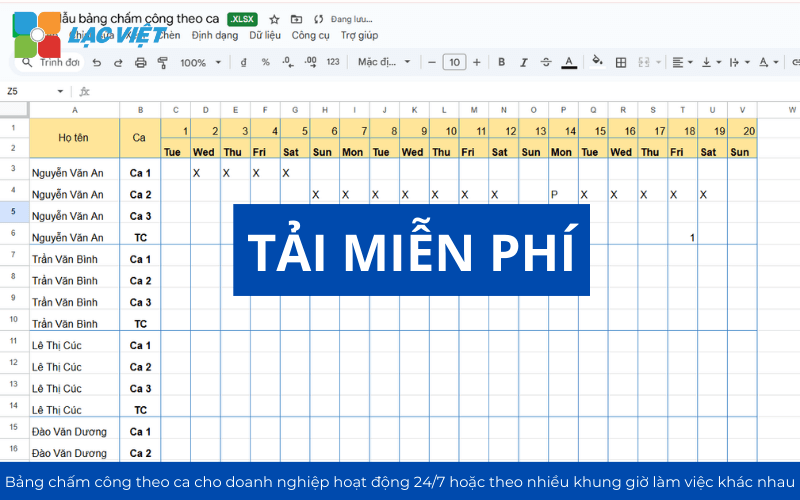
1.4 Mẫu bảng chấm công theo ca file excel/ Google Sheet
Mẫu này ghi nhận thời gian làm việc theo từng ca (ca sáng, chiều, đêm), thường đi kèm ký hiệu ca và thời gian cụ thể.
Advantages:
- Quản lý hiệu quả nhân sự làm việc theo ca
- Giảm nhầm lẫn trong phân ca
- Hỗ trợ tính lương theo ca chính xác
Phù hợp với ngành sản xuất, y tế, bán lẻ, F&B. Ví dụ: nhà máy sản xuất, bệnh viện, siêu thị.
1.5 Mẫu bảng chấm công theo giờ file excel/ Google Sheet
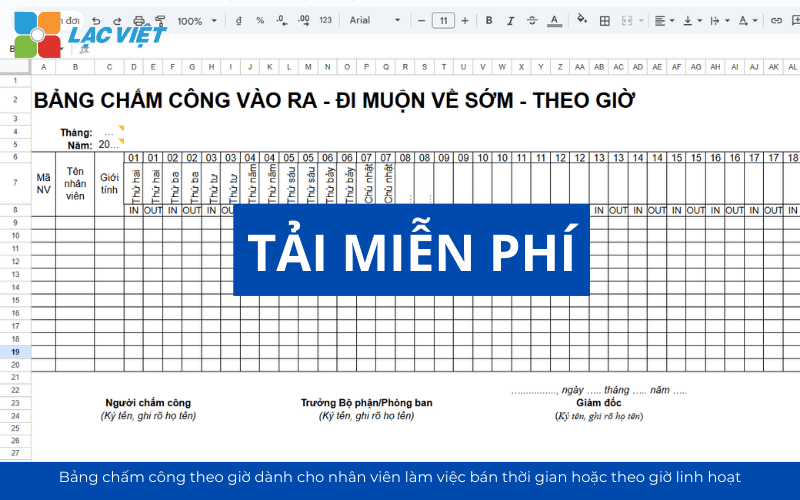
Mẫu bảng chấm công theo giờ dùng để ghi nhận số giờ làm việc thực tế của nhân viên thay vì ngày công cố định.
Advantages
- Linh hoạt cho lao động bán thời gian
- Chính xác khi tính lương theo giờ
- Dễ kiểm soát hiệu suất làm việc
Phù hợp với doanh nghiệp sử dụng nhân sự part-time, freelancer. Ví dụ: trung tâm ngoại ngữ, công ty sự kiện.
1.6 Mẫu bảng chấm công làm thêm giờ (OT) file excel/ Google Sheet
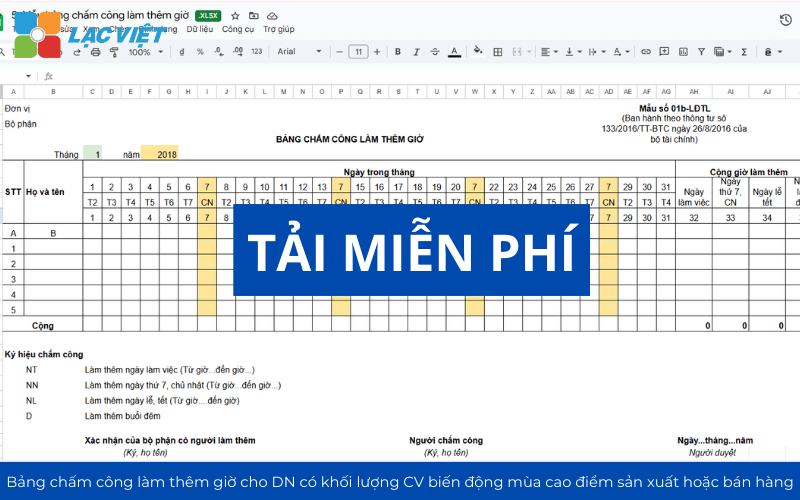
Mẫu này chuyên theo dõi số giờ làm thêm ngoài giờ hành chính, thường tách riêng để phục vụ tính lương OT theo quy định.
Advantages
- Minh bạch trong quản lý tăng ca
- Hỗ trợ tuân thủ quy định pháp luật lao động
- Dễ đối chiếu khi tính lương OT
Phù hợp với doanh nghiệp có tần suất tăng ca cao như sản xuất, xây dựng. Ví dụ: nhà máy dệt may, công ty thi công công trình.
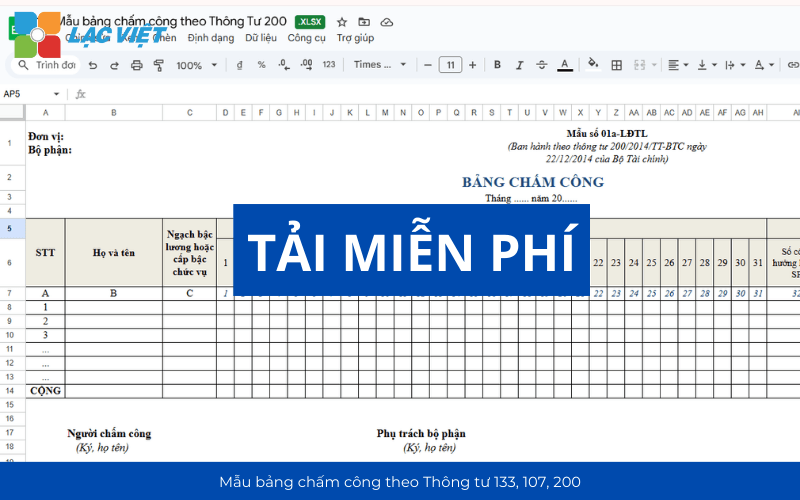
1.7 Mẫu bảng chấm công theo Thông tư 133, 107, 200
Đây là mẫu bảng chấm công chuẩn hóa theo quy định kế toán Việt Nam như Thông tư 133/2016/TT-BTC, Thông tư 200/2014/TT-BTC và Thông tư 107/2017/TT-BTC.
- Circular 133: Apply for business small and medium-sized table form compact, lightweight, easy to apply.
- Circular 107: Apply for administrative units, career; there are strict rules about the column date, type of work, marks the.
- Circular 200: Applied to big business, requires timesheet details, information sufficient to meet the financial reporting and auditing.
Advantages
- Đảm bảo tính pháp lý, dễ kiểm toán
- Thống nhất biểu mẫu trong toàn doanh nghiệp
- Phù hợp với hệ thống kế toán
Phù hợp với doanh nghiệp cần tuân thủ chuẩn kế toán và đơn vị hành chính sự nghiệp. Ví dụ: công ty xây dựng, cơ quan nhà nước.
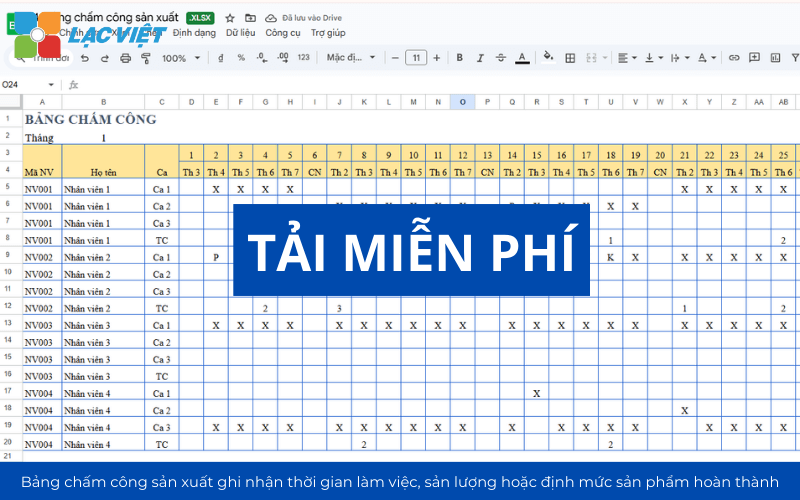
1.8 Mẫu bảng chấm công sản xuất file excel/ Google Sheet
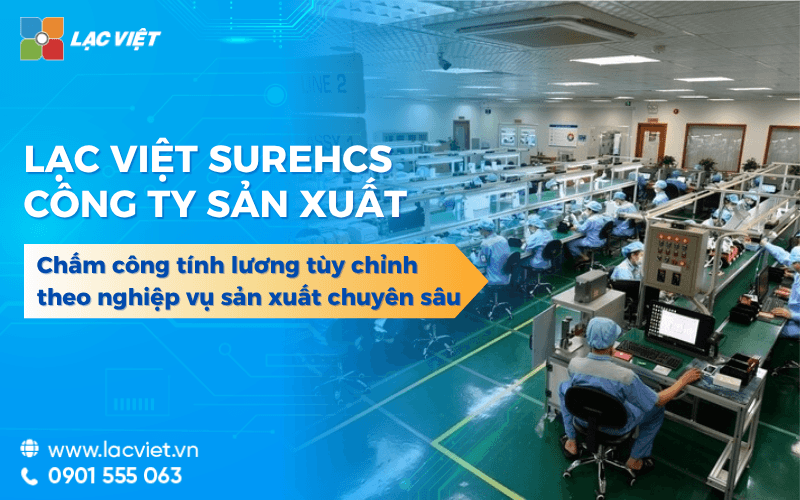
Mẫu này tích hợp chấm công với sản lượng, công đoạn hoặc dây chuyền sản xuất.
Cách ghi: Ngoài cột thời gian, cần có thêm cột “Sản lượng” hoặc “Mã sản phẩm” để tính lương theo sản phẩm hoặc theo ca kèm sản lượng.
Advantages
- Gắn kết giữa thời gian làm việc và năng suất
- Technical tính lương khoán, lương sản phẩm
- Phù hợp với quản lý dây chuyền
Phù hợp với nhà máy sản xuất, gia công. Ví dụ: nhà máy may mặc, sản xuất linh kiện điện tử.
1.9 Mẫu bảng chấm công cơ bản file Excel/Google sheet
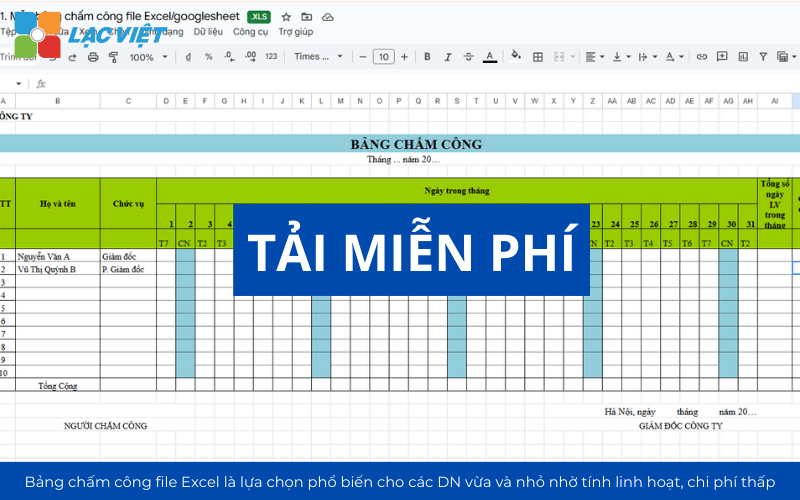
Timesheets Excel file is the common choice for the small and medium business thanks to the flexibility and low cost. Phù hợp với startup, doanh nghiệp dưới 20 nhân sự. Ví dụ: công ty thiết kế nhỏ, văn phòng đại diện.
Design:
- Use the columns for employee name, department, date, hours, type ca, notes.
- Using Excel formulas like COUNTIF (count of), SUM (total hours), IF (calculate the allowances or deductions).
Advantages:
- Easy to customize to suit the specific characteristics of each business.
- Can store, send via email quickly.
Restrictions:
- Prone to input errors manually, especially when the number of personnel.
- Not automatically synchronized with the data from the timekeeper or management application.
1.10 Mẫu bảng chấm công file Word
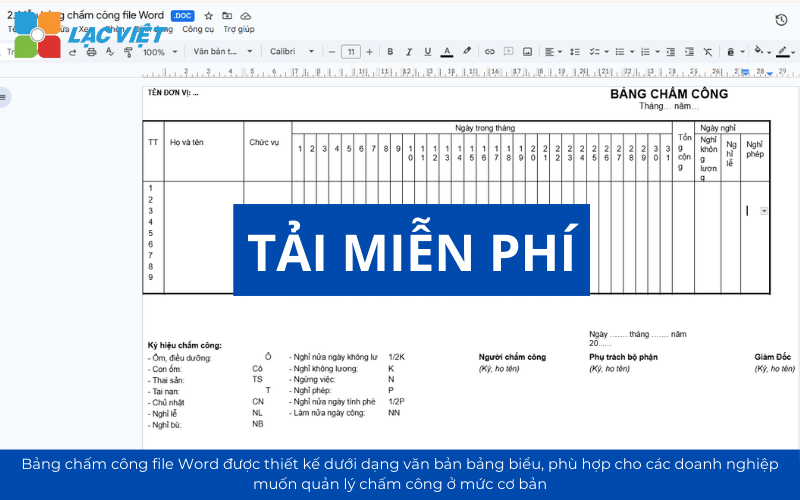
Timesheet Word file is designed in the form of text and tables, suitable for businesses that want to manage attendance at the basic level or need presents prints beautifully, easy to storage. Advantages of Word format is easy to edit layouts, change the column header, add a note or sign a confirmation of the management directly.
Advantages
- Dễ sử dụng, không cần phần mềm
- Phù hợp lưu trữ hồ sơ giấy
- Linh hoạt chỉnh sửa nội dung
A number of case options business template timesheet Word file:
- Small business has not invested attendance software, just tracking the number of days and shifts worked.
- Administrative division need to print and store paper records to meet the requirements of internal inspection, or labor inspection.
- The work environment in addition to current market (construction, manufacturing, mobile sales removable) easy to slip dots Word for each team
1.11 File bảng chấm công tự động excel
Đây là mẫu nâng cao tích hợp công thức tự động tính ngày công, giờ công, OT và liên kết dữ liệu tính lương. File excel chấm công tự động được tích hợp với máy chấm công hoặc phần mềm quản lý nhân sự – tiền lương giúp ghi nhận dữ liệu ngay khi nhân viên quẹt thẻ, vân tay hoặc nhận diện khuôn mặt.
Advantages
- Tự động hóa, giảm sai sót thủ công
- Tiết kiệm thời gian xử lý dữ liệu
- Có thể tích hợp với hệ thống HRM,
- Data can sync with instant payroll system.
Phù hợp với doanh nghiệp đang chuyển đổi số HR. Ví dụ: công ty công nghệ, doanh nghiệp quy mô vừa và lớn.
DOWNLOAD THE FREE TIMESHEET TEMPLATE COMMON FOR BUSINESS
2. Bảng chấm công chuẩn cần có những nội dung gì?
Timesheets is the form used to record the number of days, hours, shifts or periods of absence of employees in a certain period of time. This can be a spreadsheet on Excel or an automated system is associated with the timekeeper and software personnel management.
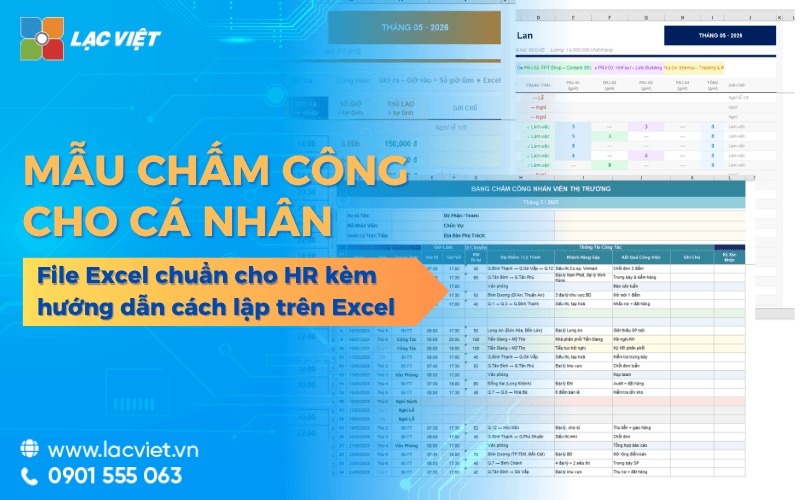
Một bảng chấm công cá nhân chuẩn (đặc biệt là các mẫu trên Excel) cần bao gồm các nội dung chính sau đây để đảm bảo việc theo dõi thời gian và tính lương chính xác:
2.1. Thông tin định danh nhân sự
- Thông tin nhân viên: Bao gồm Họ tên, Mã nhân viên để phân biệt rõ ràng giữa các cá nhân trong doanh nghiệp,.
- Bộ phận/Phòng ban: Giúp phân loại nhân sự theo đơn vị quản lý, thuận tiện cho việc tổng hợp dữ liệu theo phòng ban.
2.2. Dữ liệu thời gian làm việc
Ngày làm việc trong tháng: Danh sách các ngày từ 1 đến 31 và thứ tương ứng trong tuần để dễ dàng theo dõi.
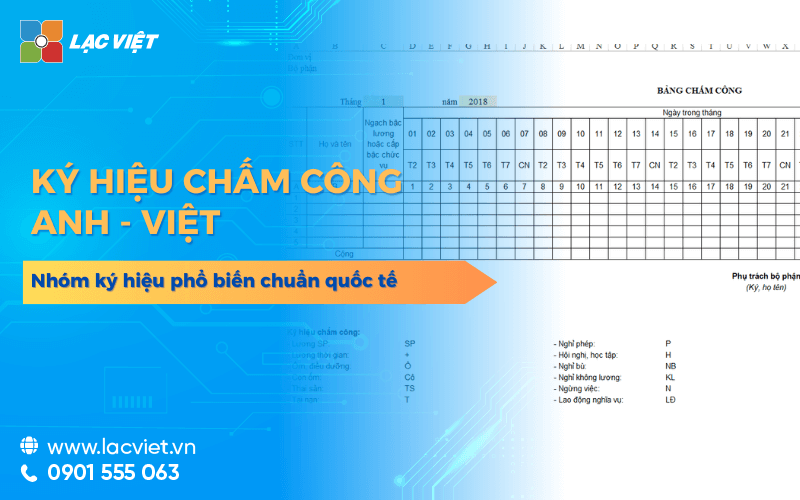
Ký hiệu chấm công chuẩn: Đây là phần quan trọng nhất để ghi nhận sự hiện diện hoặc vắng mặt của người lao động. Các ký hiệu thường dùng bao gồm:
- X: Làm việc bình thường.
- P: Nghỉ phép có hưởng lương.
- KP: Nghỉ không hưởng lương.
- M: Đi muộn.
- OT: Làm thêm giờ.
- C hoặc L: Có mặt hoặc nghỉ lễ (tùy mẫu bảng công).
2.3. Các cột tổng hợp và thống kê
Để phục vụ việc tính toán lương cuối tháng, bảng chấm công cần có các cột tổng cộng như:
- Tổng số công làm việc: Tổng số ngày thực tế có đi làm.
- Tổng số ngày nghỉ: Bao gồm nghỉ phép có lương và nghỉ không lương.
- Tổng giờ làm thêm (OT): Ghi nhận tổng thời gian làm ngoài giờ hành chính.
2.4. Các yếu tố đặc thù cần lưu ý quy định tại Nghị định 145/2020/NĐ-CP
Ngoài các cột cơ bản, để đảm bảo quyền lợi cho người lao động theo quy định tại Nghị định 145/2020/NĐ-CP, bảng chấm công hoặc hệ thống quản lý cần ghi nhận các khoảng thời gian được tính vào thời giờ làm việc có hưởng lương như:
- Thời gian nghỉ giải lao, nghỉ giữa giờ, hoặc nghỉ cần thiết cho nhu cầu sinh lý.
- Thời giờ nghỉ của lao động nữ khi mang thai, hành kinh hoặc nuôi con dưới 12 tháng tuổi.
- Thời giờ hội họp, học tập, tập huấn theo yêu cầu của doanh nghiệp.
- Thời giờ khám sức khỏe, giám định y khoa hoặc thực hiện nghĩa vụ quân sự (nếu được hưởng nguyên lương)
Việc thiết kế bảng chấm công khoa học với đầy đủ các nội dung trên không chỉ giúp quản lý thời gian hiệu quả mà còn đảm bảo tính minh bạch trong việc chi trả lương thưởng cho người lao động
3. Quy định về chấm công thời giờ làm việc bình thường của người lao động?
Căn cứ vào Điều 105 Bộ luật Lao động 2019 và Điều 58 Decree 145/2020/ND-CP, quy định về thời giờ làm việc bình thường của người lao động được quy định cụ thể như sau:
3.1. Giới hạn thời giờ làm việc bình thường
- Theo ngày và tuần: Thời giờ làm việc bình thường không được quá 08 giờ trong 01 ngày và không quá 48 giờ trong 01 tuần.
- Quyền của người sử dụng lao động: Người sử dụng lao động có quyền quy định thời giờ làm việc theo ngày hoặc theo tuần nhưng phải thông báo cho người lao động biết.
- Trường hợp làm việc theo tuần: Nếu quy định theo tuần, thời giờ làm việc bình thường không được quá 10 giờ trong 01 ngày và vẫn phải đảm bảo không quá 48 giờ trong 01 tuần.
- Khuyến khích từ Nhà nước: Nhà nước khuyến khích người sử dụng lao động thực hiện tuần làm việc 40 giờ đối với người lao động.
3.2. Quy định đối với công việc có yếu tố nguy hiểm, độc hại
Người sử dụng lao động có trách nhiệm đảm bảo giới hạn thời gian làm việc khi tiếp xúc với các yếu tố nguy hiểm, có hại theo đúng quy chuẩn kỹ thuật quốc gia, các quy định pháp luật liên quan.
Trách nhiệm bảo đảm giới hạn thời gian: Người sử dụng lao động có trách nhiệm phải bảo đảm giới hạn thời gian làm việc của người lao động khi tiếp xúc với các yếu tố nguy hiểm, yếu tố có hại,.
Căn cứ thực hiện: Việc xác định giới hạn thời gian này phải tuân thủ đúng theo các quy chuẩn kỹ thuật quốc gia và các quy định của pháp luật có liên quan,.
Chế độ về thời giờ làm việc được hưởng lương:
- Thời gian người lao động đi khám sức khỏe, khám phát hiện bệnh nghề nghiệp được tính vào thời giờ làm việc được hưởng lương nếu việc này được thực hiện theo sự bố trí hoặc yêu cầu của người sử dụng lao động,.
- Thời gian giám định y khoa để xác định mức độ suy giảm khả năng lao động do bệnh nghề nghiệp (nếu do yêu cầu của người sử dụng lao động) cũng được tính là thời giờ làm việc có hưởng lương
3.3. Các khoảng thời gian được tính vào thời giờ làm việc được hưởng lương
Ngoài thời gian làm việc trực tiếp, các khoảng thời gian sau đây cũng được tính vào thời giờ làm việc có hưởng lương:
- Nghỉ ngơi: Nghỉ giữa giờ, nghỉ giải lao theo tính chất công việc và nghỉ cần thiết cho nhu cầu sinh lý tự nhiên (đã tính trong định mức lao động).
- Chế độ cho lao động nữ: Thời gian nghỉ đối với lao động nữ khi mang thai, nuôi con dưới 12 tháng tuổi hoặc trong thời gian hành kinh.
- Hoạt động khác do yêu cầu của chủ doanh nghiệp: Thời giờ hội họp, học tập, tập huấn; thời giờ khám sức khỏe, giám định y khoa (nếu do người sử dụng lao động bố trí hoặc yêu cầu).
- Sự cố, đào tạo: Thời gian phải ngừng việc không do lỗi của người lao động; thời giờ của người học nghề, tập nghề trực tiếp tham gia lao động.
Nghĩa vụ xã hội và đoàn thể: Thời gian thực hiện nhiệm vụ của thành viên ban lãnh đạo tổ chức đại diện người lao động tại cơ sở; thời gian đăng ký, khám sức khỏe nghĩa vụ quân sự (nếu được hưởng nguyên lương).
4. Hướng dẫn tạo File bảng chấm công Excel cơ bản triển khai chi tiết
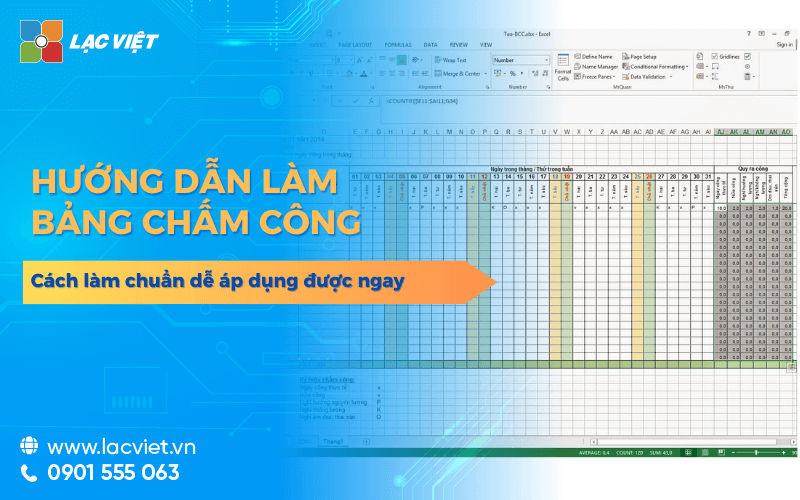
Timesheets Excel file solution is popular with many businesses, especially the organization of small and medium scale because of the cost savings just flexibility when customizing. To make sure the table is easy to use, easy to synthetic limitations flaws, you can deploy according to the process detailed below:
Step 1: Determine the necessary information is recorded
Before opening the Excel file and import data, the business should agree on the criteria timekeeping to avoid confusion between parts. Usually, the basic information, including:
- Employee information: name, employee code, room/board. Employee code helps to avoid duplicate names.
- Working time: Recording by day, by the hour or by the ca. For example: morning shift (8am–12pm), afternoon shift (13h–17h), night shift (22h–6h).
- Sign timekeeping: Standard culture right from the start. For example:
- X = to work full ca
- P = paid Vacation
- KL = leave without pay
- TC = Increased ca (include number of hours, for example TC2 = increased ca 2 hours)
- Additional notes: a reason to stay, work, work from remote...
Illustrative example: If an employee goes to work all day, the sign will be “X”; if you stay in the morning and afternoon can be “1/2P + 1/2X” to clearly express condition.
Step 2: Create the table structure on Excel
A table of the standard need clear, easy to look cute in general. The structure usually consists of:
Stream title: company Name, a. attendance (for example: “timesheets – Month 8/2025”).
Column header row:
- Order number
- They and employee name
- Employee code
- The column date in the month (day 1, Day 2... Day 31)
- The column “Total” (auto-calculates the number of days the public)
- The column “Total overtime” (the number of hours of overtime in the month)
- The column “note”
Formatting tips:
- Using background colors pale for the column header to stand out.
- Use conditional formatting (Conditional Formatting) to color the cells overtime or vacation, help with parts C&B easy to identify.
- Fixed header (Freeze Panes) to when the coil data is still easy to follow.
Step 3: apply the formula for calculate automatically
One of the biggest advantages of Excel is the ability to calculate fast accurate when set formula.
Calculate the total work:
Formula: =COUNTIF(D2:AH2,”X”)+COUNTIF(D2:AH2,”TC*”)
- Which, D2:AH2 is the symbol of the staff.
- This formula counts the number of days that the sign “X” (go to work) and the cell containing the symbol increased ca.
Calculate total hours and overtime:
If overtime is recorded directly the number of hours (for example: 2, 3),
Use the formula:=SUMIF(D2:AH2,">0")
Determine the allowance or deduction:
For example: If the total under 22 days/month, then be deducted 300,000:
=IF(AI2<22,-300000,0) Trong đó, AI2 là ô chứa tổng số ngày công.
Advanced tips:
- Use Data Validation to only allow to enter sign has rules, avoid errors when entering data.
- Combine PivotTable to create aggregate reports by departments, branches.
5. Các hàm thường được sử dụng trong bảng chấm công nhân sự
Dưới đây là bảng tổng hợp các hàm Excel thường được sử dụng trong quản lý bảng chấm công nhân sự để tính toán dữ liệu chính xác và nhanh chóng:
| Hàm | Mục đích, ý nghĩa | Công thức ví dụ |
| COUNTIF | Đếm số ngày đi làm (theo ký hiệu cụ thể như “X”) trong tháng. | =COUNTIF(C3:AK3,”X”) |
| COUNTIF | Đếm số ngày nghỉ phép (theo ký hiệu cụ thể như “P”). | =COUNTIF(C3:AK3,”P”) |
| SUMIF | Cộng tổng giờ làm thêm khi nhập trực tiếp ký hiệu (ví dụ “OT”) vào các ô ngày. | =SUMIF(C3:AK3,”OT”,C3:AK3) |
| SUM | Cộng tổng giờ làm thêm khi các dữ liệu này được tách riêng ở một cột hoặc khối riêng biệt. | =SUM(C3:AK3) |
| IF | Đưa ra cảnh báo khi số ngày công của nhân viên thấp hơn ngưỡng quy định (ví dụ dưới 20 ngày). | =IF(COUNTIF(C3:AK3,”X”)<20,”Cảnh báo”,””) |
| NETWORKDAYS | Tính số ngày làm việc chuẩn trong một khoảng thời gian (tự động loại trừ Thứ 7 và Chủ nhật). | =NETWORKDAYS(DATE(2025,6,1), DATE(2025,6,30)) |
| TEXT | Định dạng hiển thị ngày kèm thứ một cách chuyên nghiệp và dễ theo dõi. | =TEXT(DATE(2025,6,1),”dddd, dd/mm”) |
| HOUR, MINUTE | Tính toán thời gian làm việc dựa trên giờ vào – giờ ra (thường dùng cho mẫu chấm công theo giờ). | (Tùy biến theo cấu trúc bảng) |
Note: Ngoài các hàm trên, việc kết hợp linh hoạt các ký hiệu như X (Làm việc), P (Nghỉ phép có lương), KP (Nghỉ không lương), M (Đi muộn), hoặc OT (Làm thêm giờ) sẽ giúp bảng chấm công của bạn hoạt động hiệu quả và tự động hóa cao hơn.
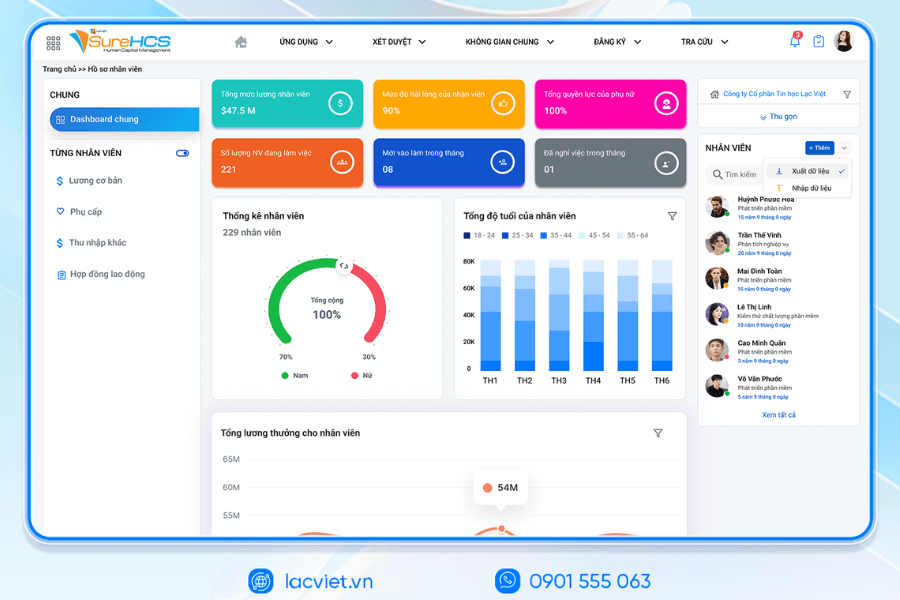
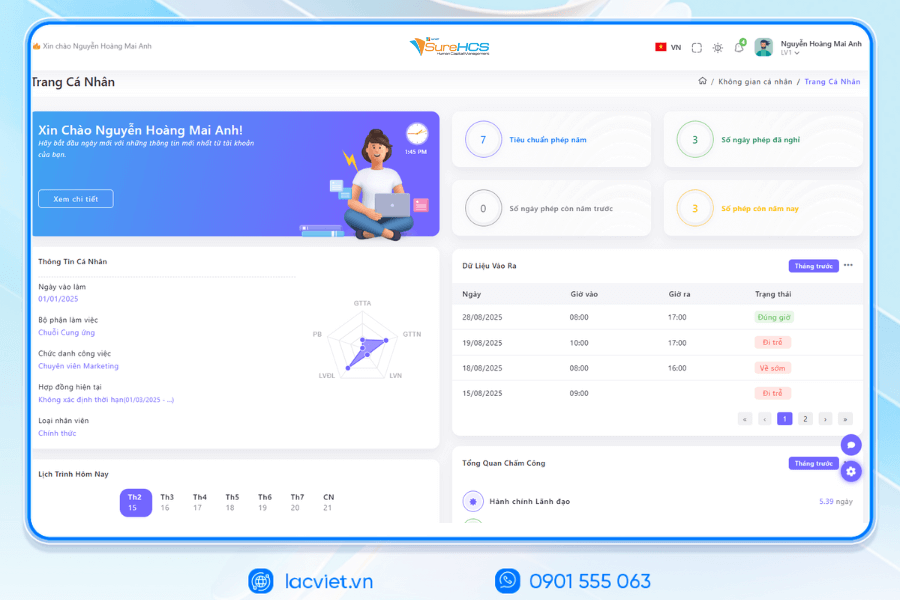
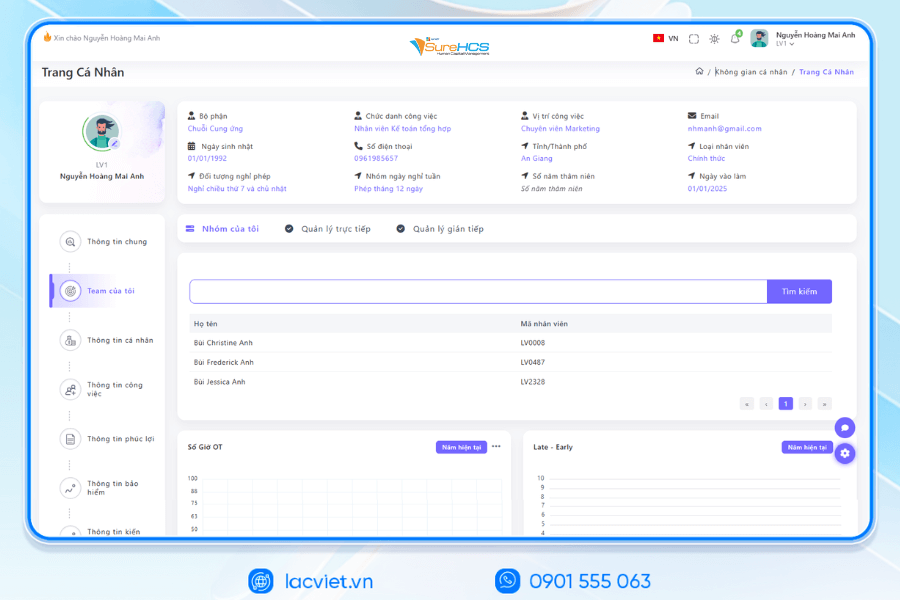
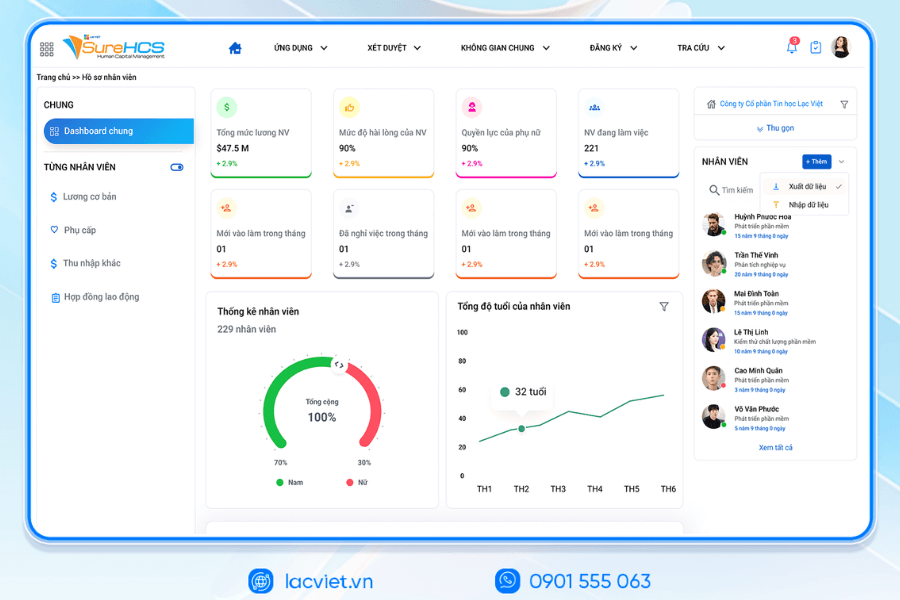
6. Quản lý chấm công toàn diện với phần mềm nhân sự chấm công LV SureHCS
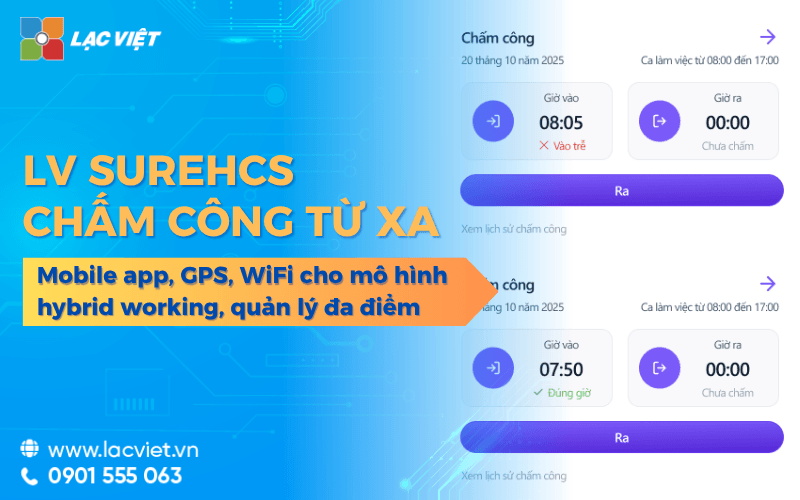
When the number of employees increase or working model more complex (many branches, shifts, working form hybrid), the use of timesheets Excel file easily lead to errors, time consuming test. At this time, the optimal solution is to use file automatic timekeeping or software attendance management.
Benefits of using attendance software:
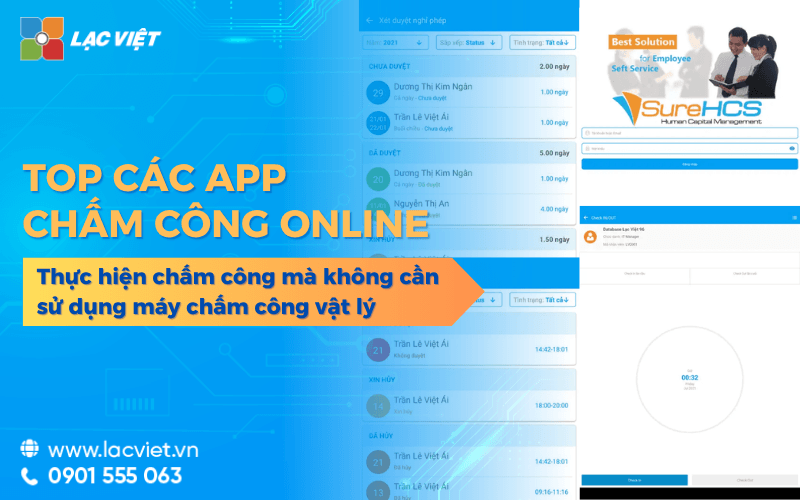
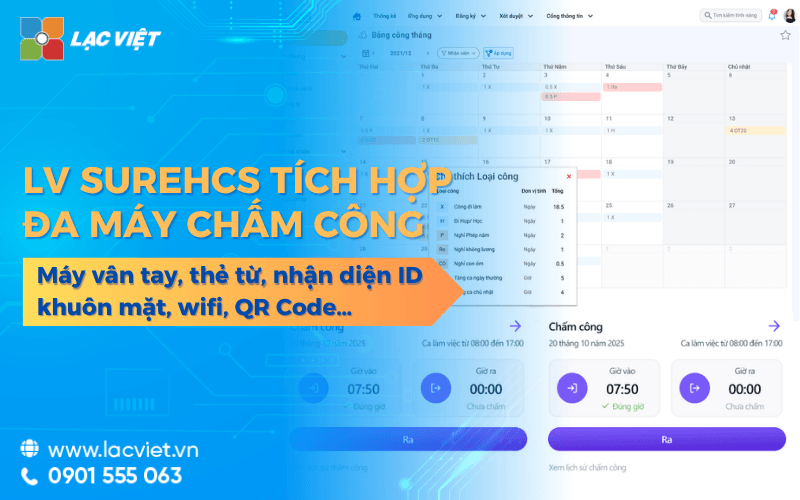
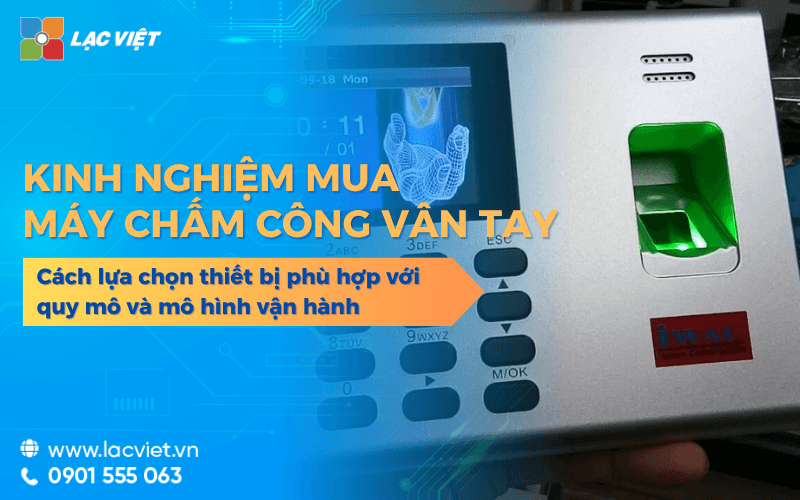
- Automatically recorded data from the attendance (fingerprint, magnetic card, face recognition) into the system without the need to enter manually.
- Synthetic instant for the entire staff, reduced from several days to handle down to just a few hours.
- With integrated payroll, benefits: data will be associated directly with your payroll, help to calculate the exact time.
- Support the majority report format: export Excel file, PDF, or online reporting as required.
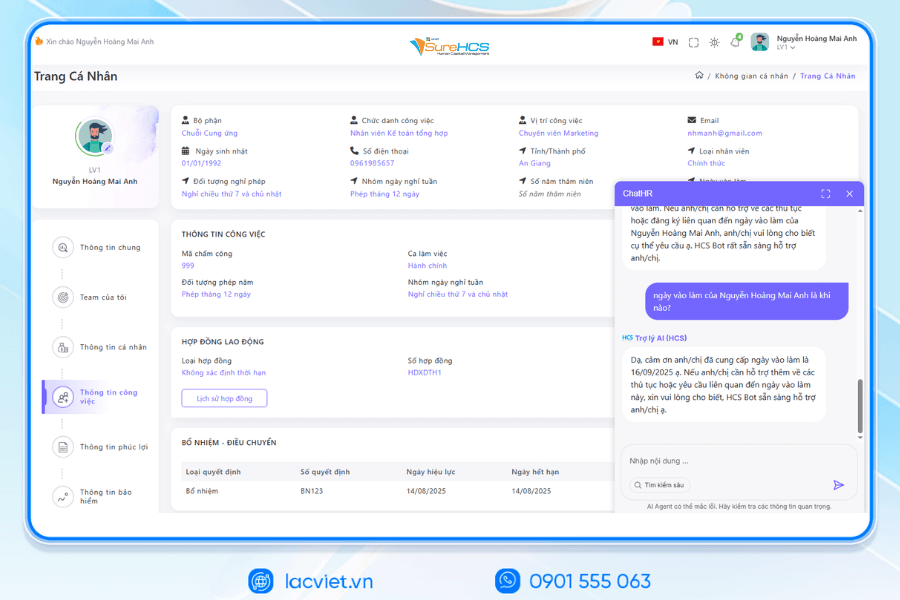
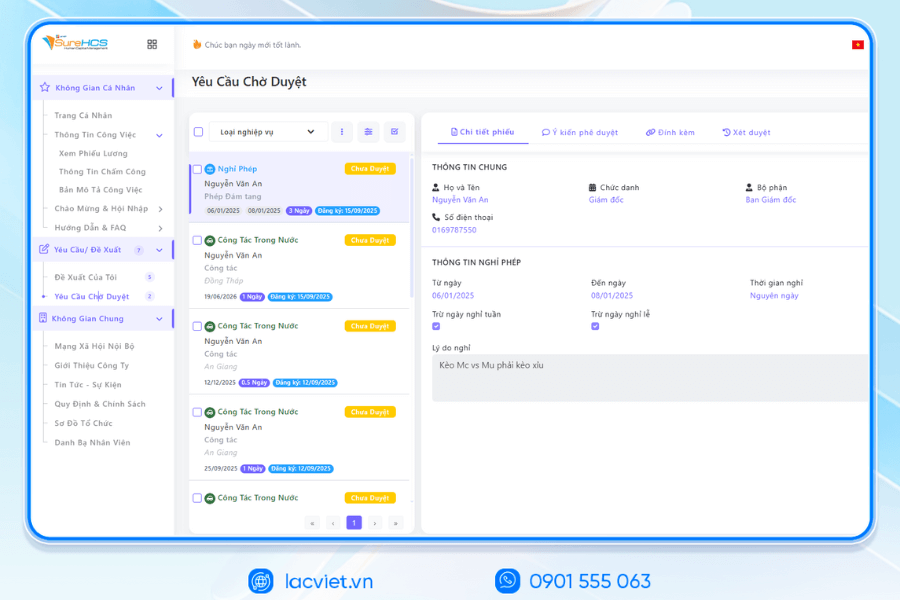
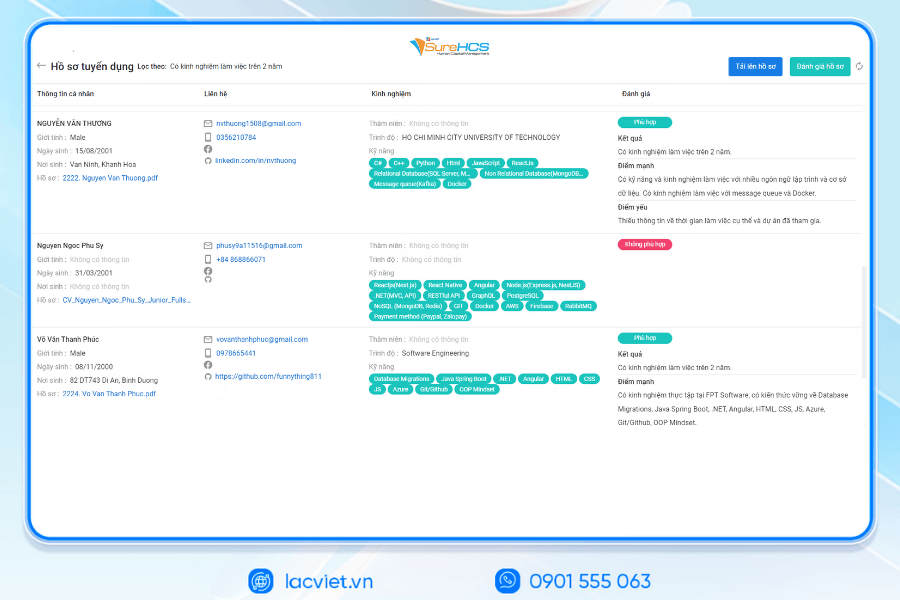
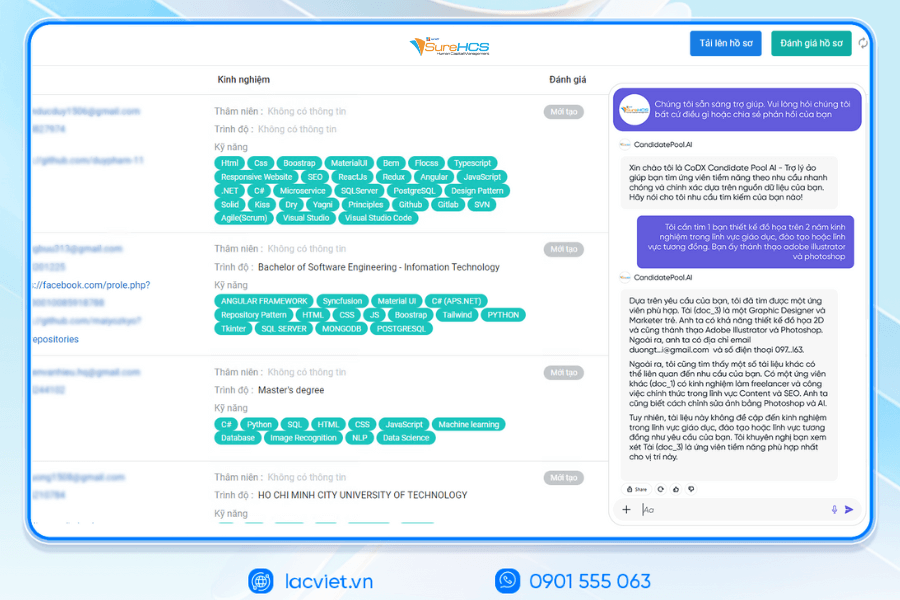
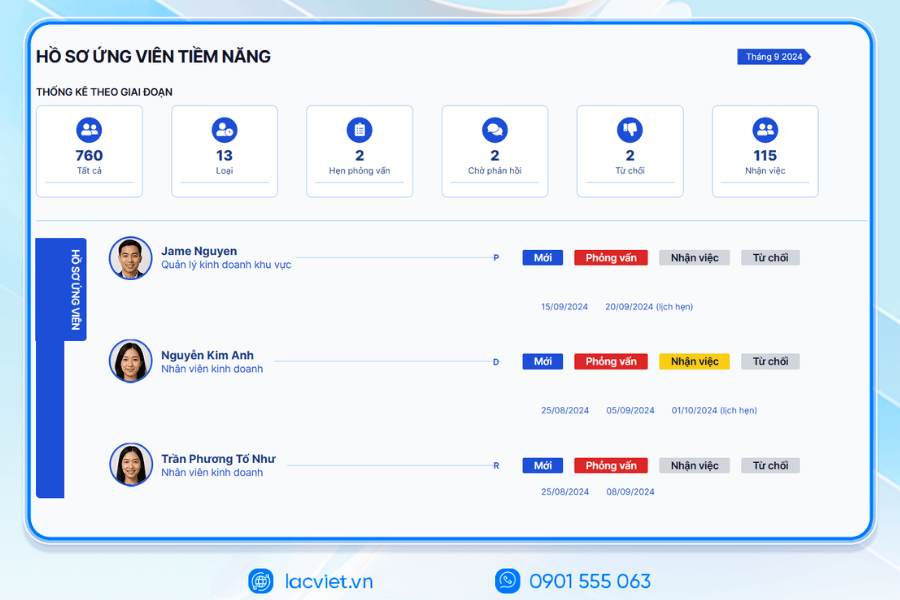
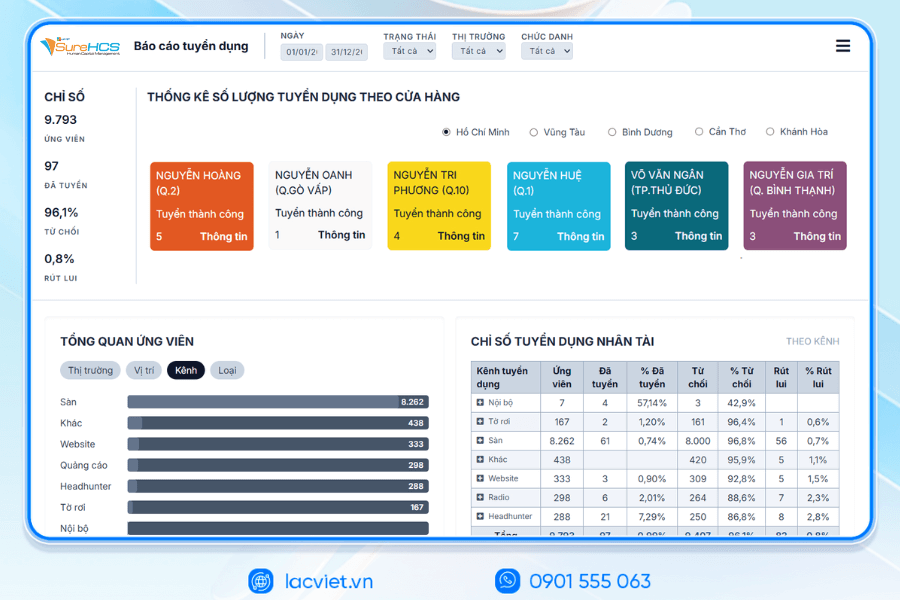
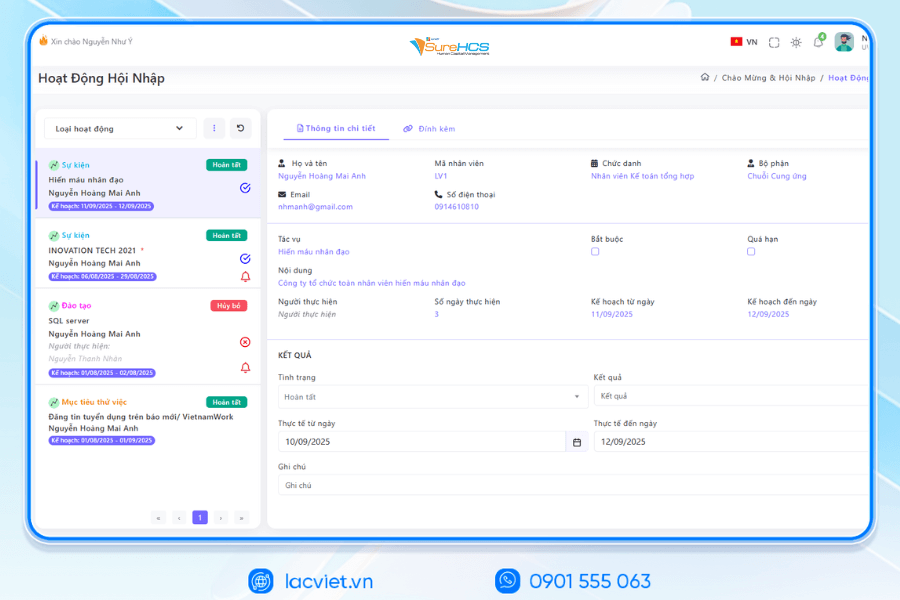
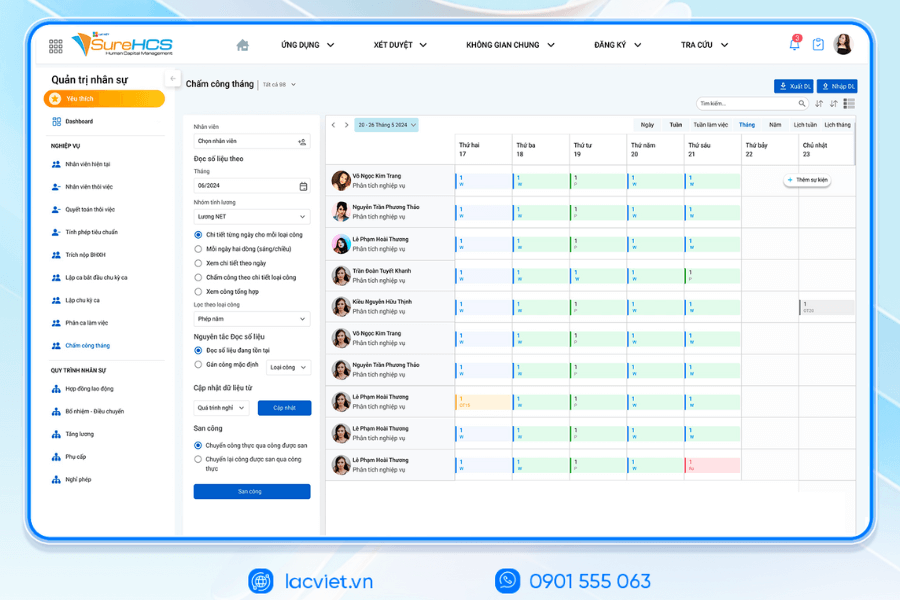
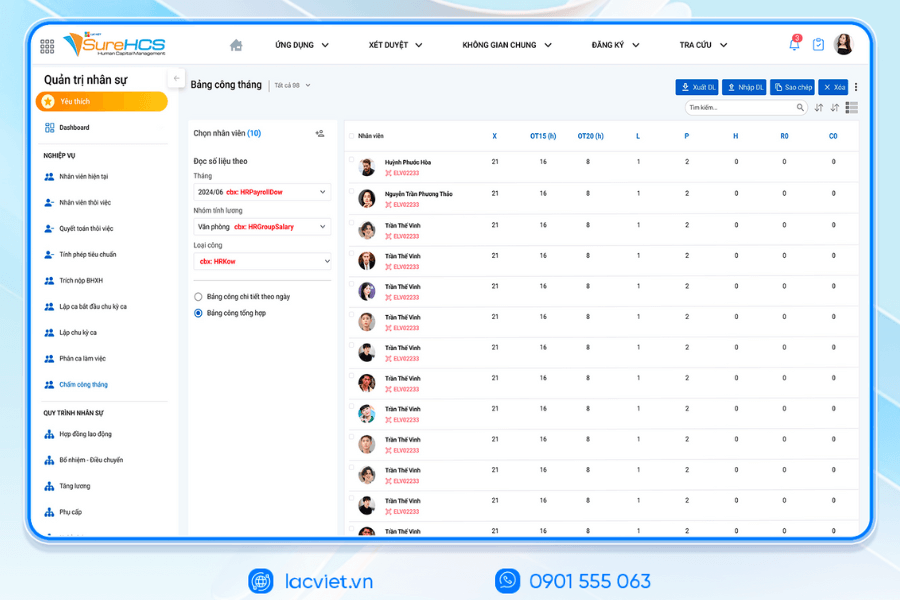
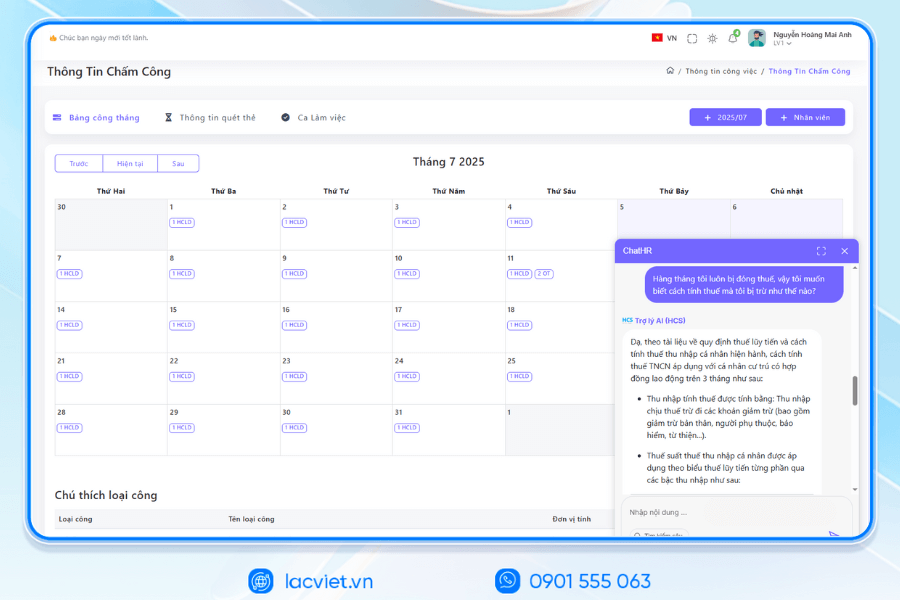
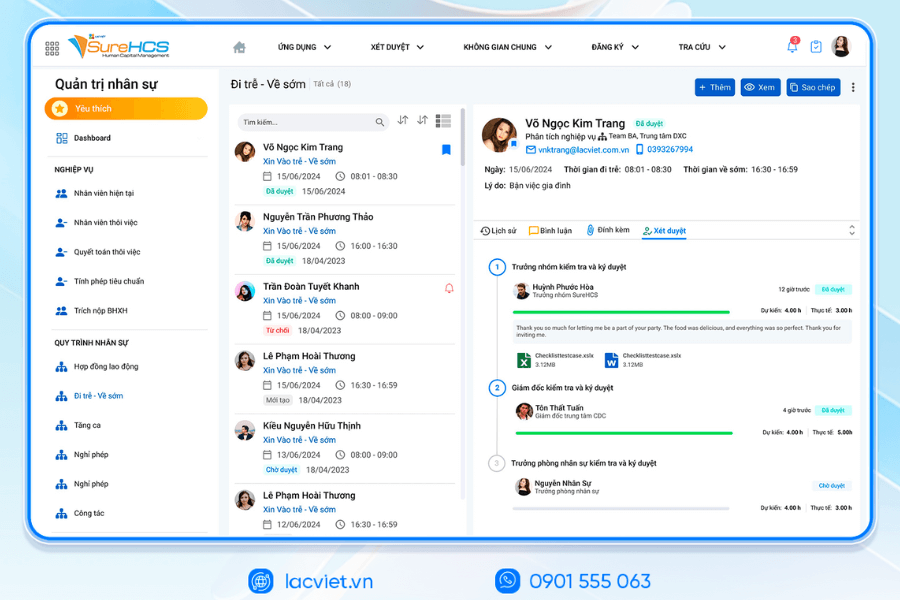
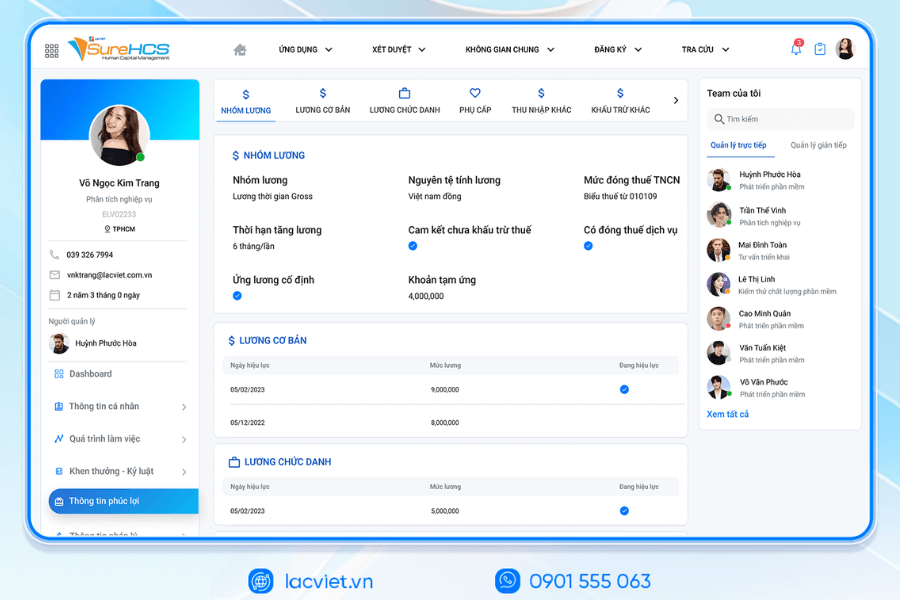
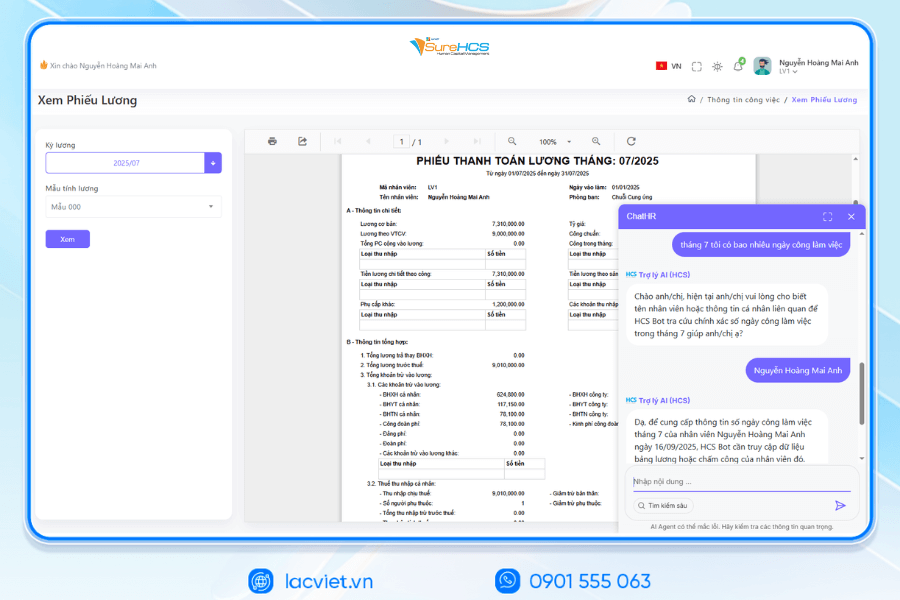
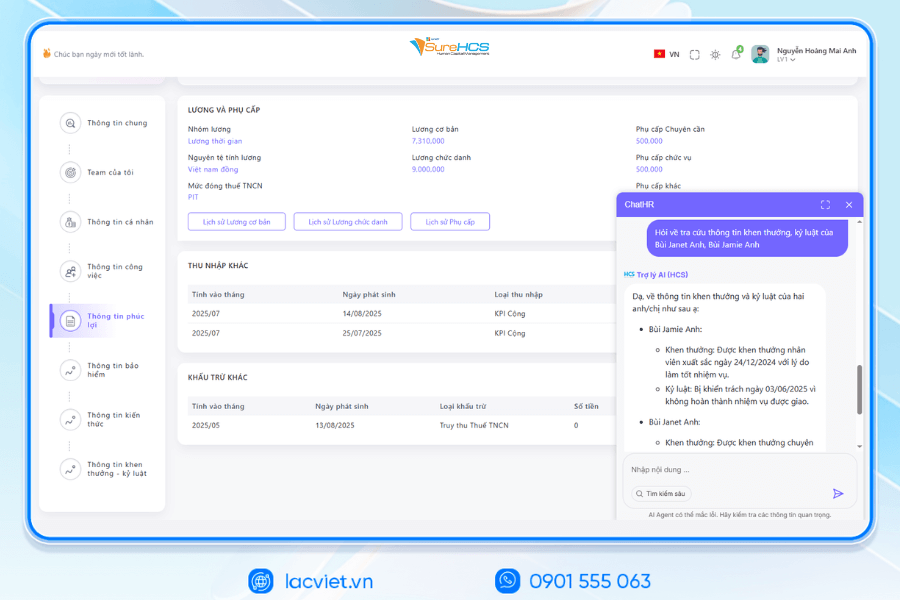
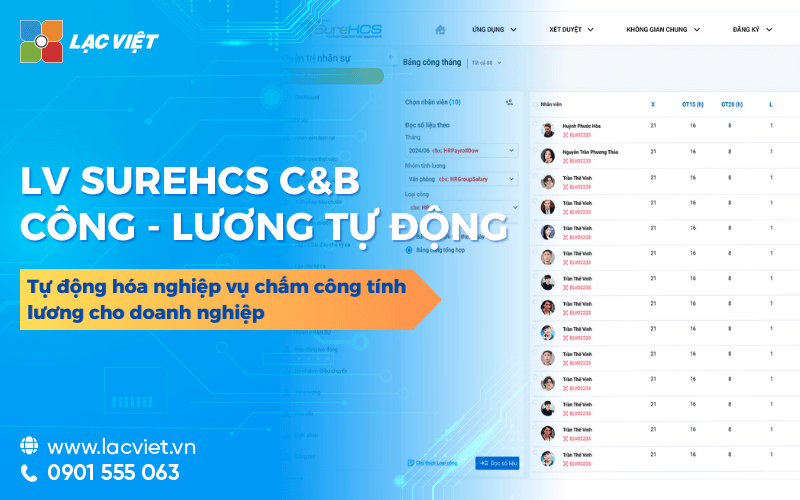
Lac Viet SureHCS is software hr management comprehensive, in that the timekeeping is designed depth to meet the management needs of working time, accuracy, transparency save maximum time data processing. The system allows direct connection to many types of machine attendance (fingerprint, magnetic card, face recognition) and automatically sync your data to the software without the need to enter manually.
With LV SureHCS HRMbusinesses can:
- Attendance management for multiple branches, shift, form work (at the office, remote, hybrid).
- Automatic synthesis of hours, overtime, vacation days, unpaid leave.
- Directly linked with the wages and benefits to ensure a closed process and reduce errors.
- Export a report as flexible as Excel, PDF or dashboard online.
WHY BUSINESSES SHOULD CHOOSE TOUCH THE SUREHCS?
- Customized according to the actual business, no pressure mold as packaged software.
- Handle the personnel – salaries complex that many software HRM other does not respond.
- Deep understanding operated business English & FDI, ensure compliance with legal Vietnam (labour, SOCIAL insurance and personal income tax).
- Ecosystem integration strength: attendance – payroll – bank – SI – electronic contract.
See details, feature & get FREE Demo
CONTACT INFORMATION
- Hotline/Zalo: 0901 555 063
- Email: surehcs@lacviet.com.vn
- Website: https://lacviet.vn | www.surehcs.com
- Office address: 23 Nguyen Thi Huynh, Phu Nhuan, ho chi minh CITY.CITY
This is a suitable option for organizations and business are to find out information about template timesheet desirable to apply file timekeeping automatically to optimal operational efficiency.













![Mẫu bảng chấm công theo giờ excel chuẩn [Tải dùng được ngay]](https://lacviet.vn/wp-content/uploads/2025/09/bang-cham-cong-theo-gio.png)




![Cách ghi bảng chấm công hàng ngày chuẩn xác [Tải mẫu miễn phí]](https://lacviet.vn/wp-content/uploads/2025/09/cach-ghi-bang-cham-cong-hang-ngay.png)